

Spotting scam listings on Facebook Marketplace is defined as recognizing fraudulent product or rental ads designed to steal money or personal information from buyers. In 2025, $2.1 billion was lost to scams starting on social media, with shopping fraud ranking as the most reported category on platforms including Facebook. That number reflects a pattern that keeps growing, and Facebook Marketplace sits squarely at the center of it. The good news is that most scam listings share predictable warning signs. Once you know what to look for, you can shop with real confidence.
How to spot scam listings on Facebook Marketplace
Scam listings on Facebook Marketplace fall into four main categories: overpayment scams, fake rental listings, counterfeit or nonexistent product ads, and seller impersonation. Each type uses a different hook, but they all share the same goal: getting your money before you realize something is wrong.
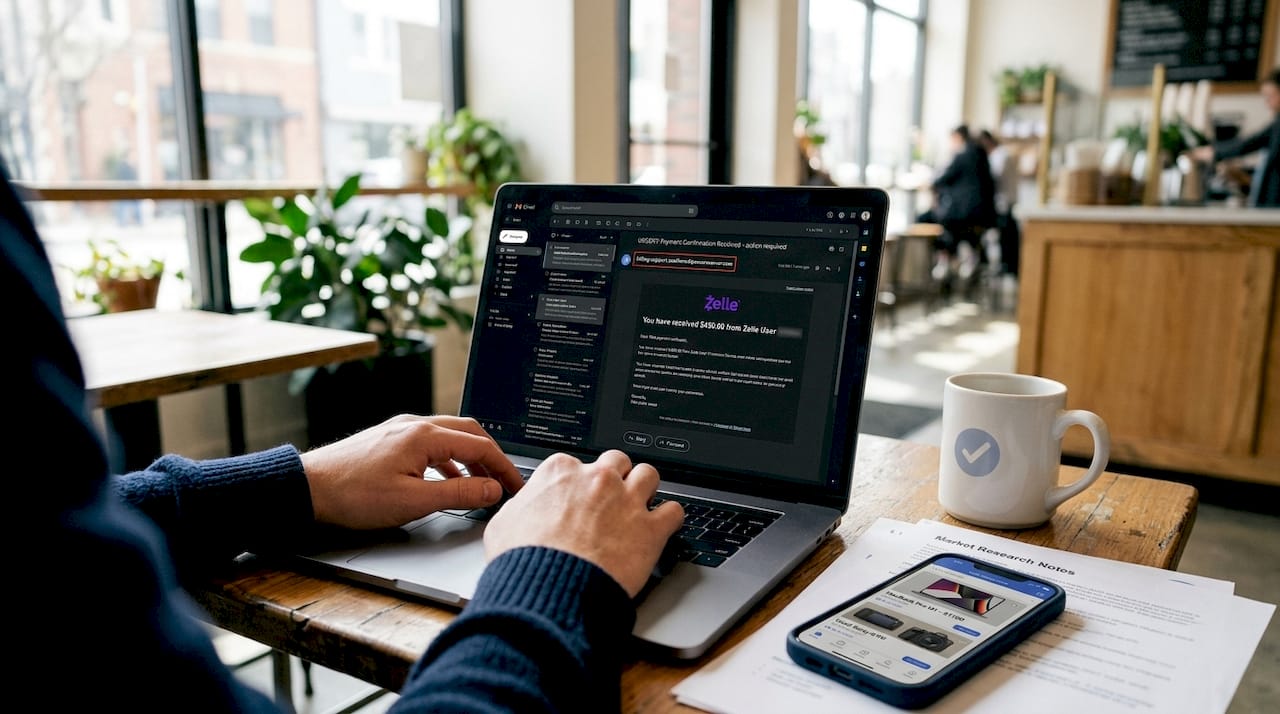
Overpayment scams target sellers, not buyers. A "buyer" sends a fake Zelle confirmation email claiming they accidentally overpaid, then asks you to refund the difference. One reported 2026 case showed a seller nearly losing $500 this way before catching the fake email. The money never actually arrived, but the pressure to refund felt completely real.
Fake rental listings are especially damaging. About half of rental scam reports started on Facebook, contributing to $65 million in losses in 2025 alone. Scammers copy legitimate property listings, swap out the contact details, and collect deposits from multiple victims. A 2026 Miami case involved fake leases, video walkthroughs, and Zelle deposits of $2,000 per victim, with the scammer blocking everyone after collecting payment.
Counterfeit or nonexistent product ads typically feature prices that are 40 to 60 percent below market value. The listing looks polished, but the item either never ships or arrives as a cheap knockoff. Impersonation scams involve fake profiles mimicking real sellers or even Facebook support accounts, asking you to verify payment details through external links.
Here are the most common red flags to watch for across all scam types:
- Prices that seem too good to be true, especially on electronics, sneakers, or concert tickets
- Requests to move communication off Facebook to WhatsApp or email
- Pressure to pay immediately via wire transfer, cryptocurrency, or gift cards
- No public meeting location offered for in-person transactions
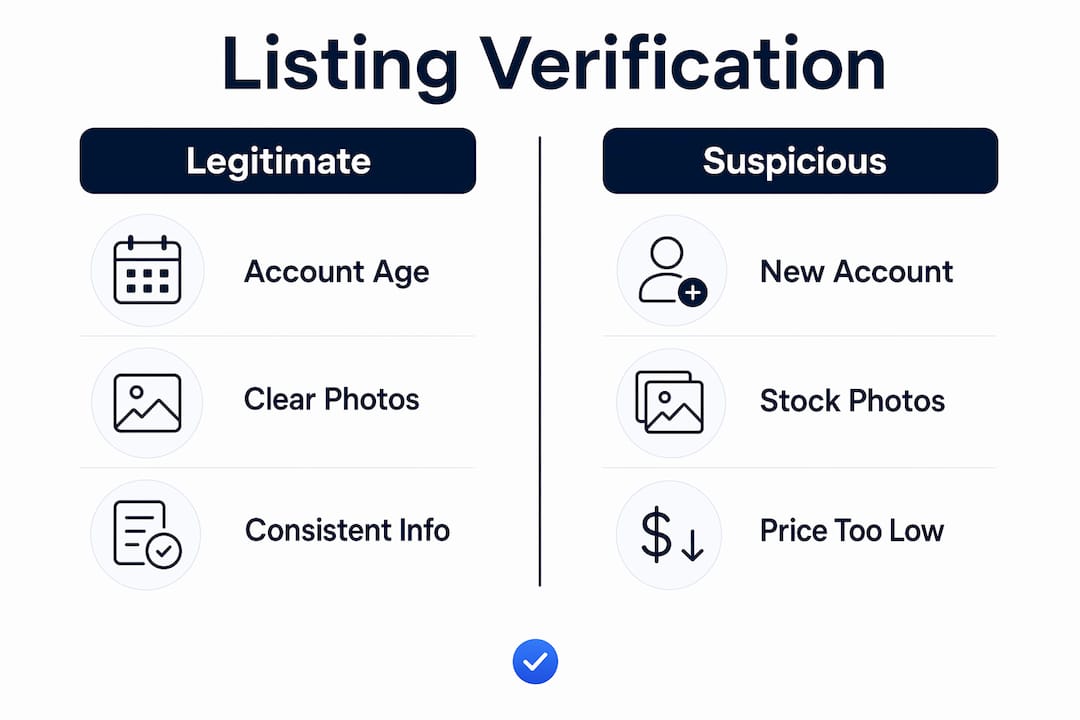
- Seller profiles created recently with few reviews or no profile photo
- Listing photos that look professionally staged or inconsistent with the description
- Vague or copied product descriptions that match multiple other listings word for word
Pro Tip: Search the listing's photos using Google Images or TinEye. Scammers frequently reuse photos from legitimate listings or retail websites, and a reverse image search will surface the original source in seconds.
How can you verify if a Facebook Marketplace listing is legitimate?
Verification is the single most reliable defense against marketplace fraud. These steps work whether you are buying a used couch or renting an apartment.
- Search the seller's name plus "scam" or "complaint" online. The FTC recommends this approach as a first-line check. A quick Google search with the seller's username or phone number often surfaces prior victim reports.
- Reverse image search every listing photo. Scammers copy photos from legitimate ads or retail sites. If the same image appears on Zillow, Amazon, or a different Marketplace listing, treat it as a serious warning sign.
- Cross-check the listing description across platforms. Searching for matching property or product details across Google, Craigslist, and Zillow helps detect duplicated scam listings. Identical descriptions with different contact info confirm a copied ad.
- Review the seller's Facebook profile history. Check when the account was created, how many Marketplace reviews it has, and whether the profile photo matches the name. Accounts less than three months old with zero reviews deserve extra scrutiny.
- Keep all communication inside Facebook Messenger. Any seller who insists on moving to a third-party app before you have even agreed on a price is applying a classic pressure tactic.
The table below summarizes what to check and what a legitimate listing typically looks like versus a suspicious one.
| Verification check | Legitimate listing | Suspicious listing |
|---|---|---|
| Seller account age | 6+ months, active history | Created within weeks of listing |
| Profile reviews | Multiple positive ratings | Zero reviews or only one |
| Listing photos | Original, match description | Stock images or copied from other sites |
| Communication channel | Facebook Messenger only | Pushes to WhatsApp or email immediately |
| Payment method requested | Facebook Pay, cash in person | Wire transfer, gift cards, or crypto |
What are the best practices for safe Facebook Marketplace transactions?
Safe transactions come down to a short list of non-negotiable habits. Follow these consistently and your risk drops significantly.
- Meet in person at a public location. Many police departments now offer designated "safe exchange zones" in their parking lots with security cameras. Use them for any transaction over $50.
- Never send money before you see the item. Paying upfront for something you have not physically inspected is the single biggest mistake buyers make. Wire transfers, crypto, and gift cards offer zero buyer protection once sent.
- Verify payment in your actual bank account before releasing goods. Scammers send staged fake payment proofs through screenshots and emails. Only trust a confirmed balance change in your bank or payment app, not a screenshot from the buyer.
- Reject any overpayment refund request immediately. If a buyer claims to have sent too much and asks you to refund the difference, stop the transaction. This is the overpayment scam in action, and the original payment will never clear.
- Use payment methods with buyer protection. PayPal Goods and Services and Facebook Pay for shipped items both offer dispute resolution. Venmo, Zelle, and Cash App do not protect buyers once payment is sent.
- Report suspicious listings directly on Facebook. Use the "Report" button on any listing or profile that looks fraudulent. Prompt reporting and community vigilance reduce the time scam listings stay active on the platform.
Pro Tip: Before any in-person meetup, share the seller's name, profile link, and meeting location with a friend or family member. This takes 30 seconds and creates a safety record if anything goes wrong.
How do technology tools and AI help detect fraudulent listings?
Machine learning tools are now emerging to flag suspicious listings on Facebook Marketplace, giving buyers an additional layer of protection beyond manual checks. These tools analyze listing data, seller behavior patterns, and pricing signals to score the likelihood that a listing is fraudulent. That kind of pattern recognition is something the human eye misses, especially when a scammer has invested effort in making a profile look credible.
Scammers increasingly use AI-generated profiles and realistic media to build false trust, which means visual verification alone is no longer enough. A listing with professional photos, a detailed description, and a seller profile with a few reviews can still be a scam. Data-driven tools close that gap by cross-referencing pricing against market averages, checking for listing duplication, and flagging seller behavior that matches known fraud patterns.
The table below compares manual verification with AI-assisted tools so you can see where each approach adds the most value.
| Approach | Strengths | Limitations |
|---|---|---|
| Manual verification | Free, builds buyer instincts | Time-consuming, misses subtle patterns |
| AI scam detection tools | Fast, catches data-level anomalies | Requires buyer follow-through on alerts |
| Reverse image search | Catches copied photos quickly | Does not verify seller identity or pricing |
| Community reporting | Removes scams from platform | Reactive, not preventive |
Dealflip's scam checker tool applies this kind of analysis directly to Facebook Marketplace listings, scoring each one for risk factors including price deviation, seller signals, and listing duplication. For buyers who shop frequently, integrating a tool like this into your workflow means you spend less time second-guessing and more time finding real deals. You can also explore AI-driven defense workflows used by security teams to understand how machine learning catches social engineering at scale. The key point is that tools support your judgment. They do not replace it. Always follow up on any alert with your own verification steps.
Key takeaways
Spotting scam listings on Facebook Marketplace requires recognizing red flags early, verifying sellers and listings through multiple channels, and using payment methods that protect you if something goes wrong.
| Point | Details |
|---|---|
| Know the scam types | Overpayment, fake rentals, counterfeit products, and impersonation are the four main categories. |
| Verify before you commit | Reverse image search photos, check seller history, and search the seller's name plus "scam" online. |
| Control your payment | Never use wire transfer, gift cards, or crypto. Use PayPal Goods and Services or cash in person. |
| Confirm payment yourself | Only trust balance changes in your own bank app. Never accept screenshots as proof of payment. |
| Use tools and report | AI scam checkers flag suspicious listings faster than manual review. Report fraud immediately on Facebook. |
What I have learned from years of watching marketplace scams evolve
The sophistication of Facebook Marketplace scams has changed dramatically in the past two years. When I first started tracking these patterns, most scam listings were easy to spot. Blurry photos, broken English, prices that were obviously absurd. Today, the best-constructed scams look indistinguishable from legitimate listings at first glance. The Miami rental case from 2026 is a perfect example. Fake leases, video walkthroughs, professional communication. Victims had every reason to believe it was real.
What concerns me most is the pressure dynamic. Scammers are skilled at creating urgency. "Three other people are interested." "I need a decision today." That pressure is designed to override your instincts, and it works more often than most people admit. The buyers who avoid getting burned are not smarter. They are simply slower to act and more willing to walk away from a deal that feels rushed.
My honest advice is this: treat any friction in the verification process as a signal, not an inconvenience. A legitimate seller has nothing to hide and will not mind if you take 24 hours to confirm details. The moment a seller pushes back on basic questions, that tells you everything you need to know. Stay patient, stay skeptical, and remember that the best deal is one you can verify completely.
— Apex
How Dealflip helps you shop smarter and safer

Dealflip is built for buyers and resellers who want to move fast without getting burned. The Facebook Marketplace scam checker analyzes listings for risk signals including price anomalies, seller behavior, and duplication patterns, giving you a clear risk score before you reach out to a seller. Paired with the listing analyzer tool, you get a full picture of whether a deal is worth pursuing and what a fair offer looks like. These tools do not replace your judgment. They sharpen it. If you are serious about finding good deals on Facebook Marketplace without wasting time on listings that are too risky, Dealflip gives you the data to decide with confidence.
FAQ
What are the most common scams on Facebook Marketplace?
The four most reported types are overpayment scams, fake rental listings, counterfeit or nonexistent product ads, and seller impersonation. Rental scams alone accounted for $65 million in losses in 2025.
How do I verify a Facebook Marketplace seller?
Check the seller's account age, review history, and profile photo. Then search their name or username plus the word "scam" in Google, as the FTC recommends this method for identifying fraudulent sellers.
What payment methods are safest on Facebook Marketplace?
Cash in person and PayPal Goods and Services offer the most protection. Avoid wire transfers, gift cards, and cryptocurrency because these payment methods offer no recourse once the money is sent.
How do I report a scam listing on Facebook?
Use the "Report" button on the listing or seller profile and select the fraud category. You can also file a report with the FTC at ReportFraud.ftc.gov to help track patterns across platforms.
Can AI tools help me avoid Facebook Marketplace scams?
Yes. AI scam detection tools analyze pricing, seller behavior, and listing duplication to flag suspicious ads faster than manual review. Dealflip's scam checker applies this analysis directly to Facebook Marketplace listings.