

Market price comparison for local listings is the practice of benchmarking your item's price against what buyers have actually paid in your area recently, not what other sellers are currently asking. This distinction separates profitable resellers from those who sit on inventory for weeks. Platforms like Facebook Marketplace and eBay give you access to real transaction data, and tools like Dealflip's listing analyzer make local market price analysis faster and more accurate than manual browsing ever could. Get this right, and you price confidently from day one.
What data sources and tools can you use for market price comparison on local listings?
The gold standard for local market price analysis is eBay's sold listings filter. When you search any item on eBay and filter by "Sold Items," you see the prices buyers actually paid, not the wishful asking prices sellers posted. This is real transaction data, and it reflects true buyer behavior in a way that active listings never will.
Facebook Marketplace scrapers add another layer of precision for hyper-local comparisons. Tools like the Facebook Marketplace Deal Finder can extract structured data fields including price, location, condition, posted date, and direct listing URL. That structured output lets you build a proper dataset instead of scrolling through listings one by one.

Fee calculators round out your toolkit by converting gross prices into net proceeds. A $100 sale on eBay is not the same as a $100 sale on Facebook Marketplace locally. The Facebook Marketplace shipping calculator and platform-specific tools help you compare apples to apples across channels.
Here is a quick comparison of the most useful tools for local listings price checks:
| Tool | Best For | Key Data Points |
|---|---|---|
| eBay Sold Listings filter | Sold comp research | Final sale price, condition, date |
| Facebook Marketplace scraper | Local listing extraction | Price, location, condition, posted date |
| Dealflip Listing Analyzer | AI-scored deal analysis | Price score, profit potential, risk flags |
| Dealflip Fee Calculators | Net proceeds comparison | Fees, shipping, true margin |
| Dealflip Value Estimator | Local value benchmarking | Estimated market value by condition |
Pro Tip: Always pull at least 5 to 10 sold comps before setting a price. A single data point is an anecdote. Ten data points are a benchmark.
How to analyze sold listings versus active listings for accurate price benchmarking
Pricing from active listings is the single biggest mistake new resellers make. Active listings reflect seller hopes, not buyer reality. A seller can list a used PlayStation 5 for $600, but if buyers are only paying $420 based on recent transactions, that $600 listing is noise.
Sold and completed listings tell you what buyers actually paid. When you use sold comps from the last 30 to 90 days with at least 5 to 10 matching results, you get a reliable picture of the current market. Anything older than 90 days risks reflecting a different demand cycle, especially for electronics and seasonal items.
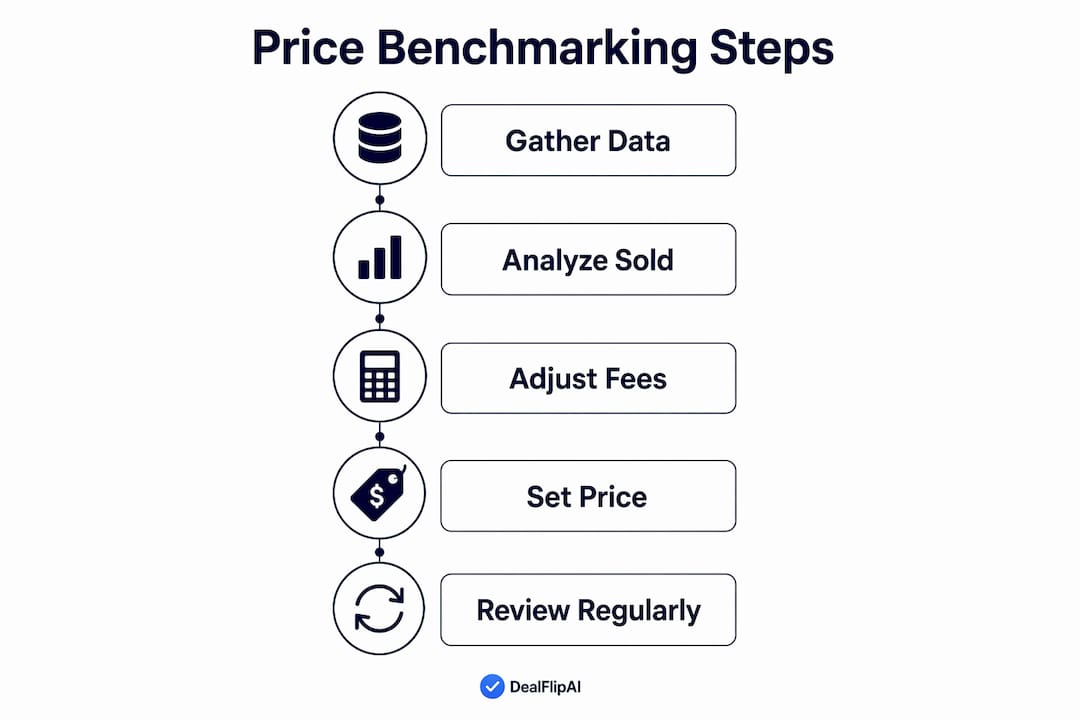
Use the median sold price, not the average. One outlier sale distorts the average significantly. If nine items sold between $80 and $100 and one sold for $300 because it was a rare variant, the average jumps to $118. The median stays at $90, which is where the real market sits.
Sell-through rate is another metric worth tracking. It measures how many listings in a category actually sell compared to how many are active. A sell-through rate above 50% signals healthy demand, meaning you can price toward the upper range of your comps. A low sell-through rate signals oversupply, and you need to price more aggressively to move inventory.
Here is what to filter for when pulling sold comps:
- Condition match: Only compare like-for-like. A "good" condition item should not be benchmarked against "like new" sold prices.
- Date range: Stick to the last 30 to 90 days. Older data reflects a different market.
- Listing type: Listings with "Best Offer" enabled often sell 15 to 25% below the listed price. Adjust those comps downward to reflect the real transaction price.
- Location proximity: For Facebook Marketplace, filter by distance to keep comps relevant to your local buyer pool.
Pro Tip: When you find a sold comp that seems unusually high or low, click into the listing and check the photos and description. Condition discrepancies and rare variants are the most common reasons for outlier prices.
How to factor in platform fees, shipping, and local market conditions
Net proceeds matter more than sticker price. Facebook Marketplace local sales keep 100% of the sale price with no platform fees, while shipped sales on the same platform carry fees between 10% and 20%. That gap changes your pricing math entirely.
Here is how fees break down across the most common resale platforms:
| Platform | Local Sale Fee | Shipped Sale Fee |
|---|---|---|
| Facebook Marketplace | 0% | ~10% |
| eBay | N/A | ~13.25% + listing fees |
| Poshmark | N/A | $2.95 under $15 / 20% over $15 |
| Mercari | N/A | ~10% + payment processing |
Use the Poshmark fee calculator or the eBay fee calculator to model your actual take-home before you set a price. Ignoring fees in your price comparison leads to false conclusions about which channel is more profitable.
Local market conditions add another layer beyond raw comps. A city with high population density and strong buyer activity supports higher prices than a rural area with fewer buyers. If you notice your local Facebook Marketplace has 30 identical items listed, that saturation pushes prices down regardless of what eBay sold comps show nationally.
The speed-versus-margin trade-off is real. Pricing at the median sold comp gets you a faster sale. Pricing 10% to 15% above median may net more profit but extends your holding time. For items that depreciate quickly, like electronics or trending products, speed usually wins.
- Price for your channel: Local Facebook Marketplace prices can be lower than eBay because buyers save on shipping and you save on fees.
- Model your net: Always calculate what you actually take home after fees, not the gross sale price.
- Watch local saturation: Check how many active listings exist in your area before setting your price.
- Factor in holding costs: Storage space, time, and opportunity cost all affect whether a slower, higher-margin sale is actually worth it.
Pro Tip: Use Dealflip's cross-listing profit calculator to compare your net proceeds across eBay, Mercari, Poshmark, and Facebook Marketplace side by side before deciding where to list.
How to automate and scale your local listing price comparisons
Manual browsing does not scale. If you are flipping more than a handful of items per week, you need a system that pulls and organizes local listing data automatically. Automating local market price scans delivers consistent, repeatable results that manual browsing simply cannot match.
Here is a practical process for building automated local price comparisons:
- Define your search parameters. Set your item category, condition range, and maximum distance from your pickup location. Tighter parameters produce more relevant comps.
- Extract structured listing data. Facebook Marketplace scrapers return structured rows with price, location, condition, and posted date for every matched listing. This gives you a dataset you can sort and filter.
- Build condition bands. Group your comps by condition: like new, good, fair, and poor. Calculate the median price for each band. This gives you a price range tied to condition rather than a single blurry number.
- Add recency weighting. Listings posted within the last 7 days are more relevant than listings posted 60 days ago. Weight recent data more heavily when calculating your benchmark.
- Track sell-through signals. Note which listings disappear quickly. Fast-disappearing listings at a given price point confirm that buyers are active at that level.
Aggregating median prices by condition band and proximity to your pickup area produces far more accurate comps than scrolling through a feed and eyeballing prices. The structured approach also lets you spot trends over time, like whether prices in your category are rising or falling week over week.
Pro Tip: Build a simple spreadsheet with columns for item name, condition, listed price, sold price, days to sell, and distance. Even a basic version of this system will outperform any amount of casual browsing.
Common pitfalls when conducting local market price comparisons
Most pricing errors come from the same handful of mistakes. Recognizing them early saves you from underpricing good inventory or sitting on overpriced items for months.
- Relying on active listings only. Active listings are aspirational. They tell you what sellers want, not what buyers pay. Always anchor your price to sold data.
- Using too few comps. One or two sold listings are not enough. Outliers, rare variants, and condition differences can make a single comp wildly misleading. Aim for at least 5 to 10 matching sold results.
- Ignoring fees in your comparison. Fee calculators model true net proceeds accurately. Skipping this step means you may think you are making $30 profit when you are actually making $12 after fees and shipping.
- Using outdated comps. A sold price from 6 months ago may reflect a completely different supply and demand cycle. Stick to the last 30 to 90 days.
- Misjudging condition differences. A "good" condition item listed next to a "like new" item will always sell for less. Comparing across condition grades inflates your price expectations.
- Ignoring local saturation. Ten identical items listed in your zip code changes your pricing power significantly. Check active local supply before finalizing your price.
Pro Tip: Before listing any item, run a quick local listings price check on Facebook Marketplace filtered by your city or zip code. If you see more than five similar items already listed, price at or slightly below the lowest active listing to move your item faster.
Key takeaways
Accurate local market price comparison requires sold listing data, fee-adjusted net proceeds, and condition-matched comps pulled within the last 30 to 90 days.
| Point | Details |
|---|---|
| Use sold listings, not active | Sold comps reflect what buyers paid; active listings reflect seller hopes. |
| Median beats average | One outlier sale skews the average; median price reflects the true market middle. |
| Factor in all fees | Local Facebook Marketplace sales carry no fees; shipped sales can cost 10 to 20%. |
| Automate for scale | Scrapers and structured datasets outperform manual browsing for consistent comps. |
| Watch sell-through rate | A rate above 50% signals healthy demand; below that, price more aggressively. |
Why data-driven pricing changed how I think about reselling
When I started paying attention to sold listings instead of active ones, my pricing accuracy improved immediately. The shift sounds obvious in hindsight, but most resellers spend their first months anchoring to what other sellers are asking rather than what buyers are actually paying. Those are two very different numbers.
The tools available in 2026 make this process genuinely accessible. You do not need a background in data analysis to build a reliable comp set. A scraper, a fee calculator, and a simple spreadsheet get you 80% of the way there. The remaining 20% comes from reading local market signals, like saturation levels and how fast similar items disappear from listings.
The speed-versus-margin question is where most experienced resellers develop their own philosophy. I lean toward pricing for faster turnover on electronics and trending items, and holding firm on collectibles and furniture where patient buyers pay a premium. Neither approach is universally right. What matters is that you make the decision based on data, not instinct.
The resellers who scale successfully are not the ones who guess best. They are the ones who build repeatable systems for gathering and interpreting local market data. Start with sold comps, add fee modeling, and automate what you can. The results compound quickly.
— Apex
Let Dealflip do the heavy lifting on price research
Dealflip builds the tools that make local market price analysis fast and reliable for active resellers. The Facebook Marketplace Deal Finder scans listings automatically and scores each one based on price, profit potential, and risk signals, so you spend less time researching and more time buying and selling.
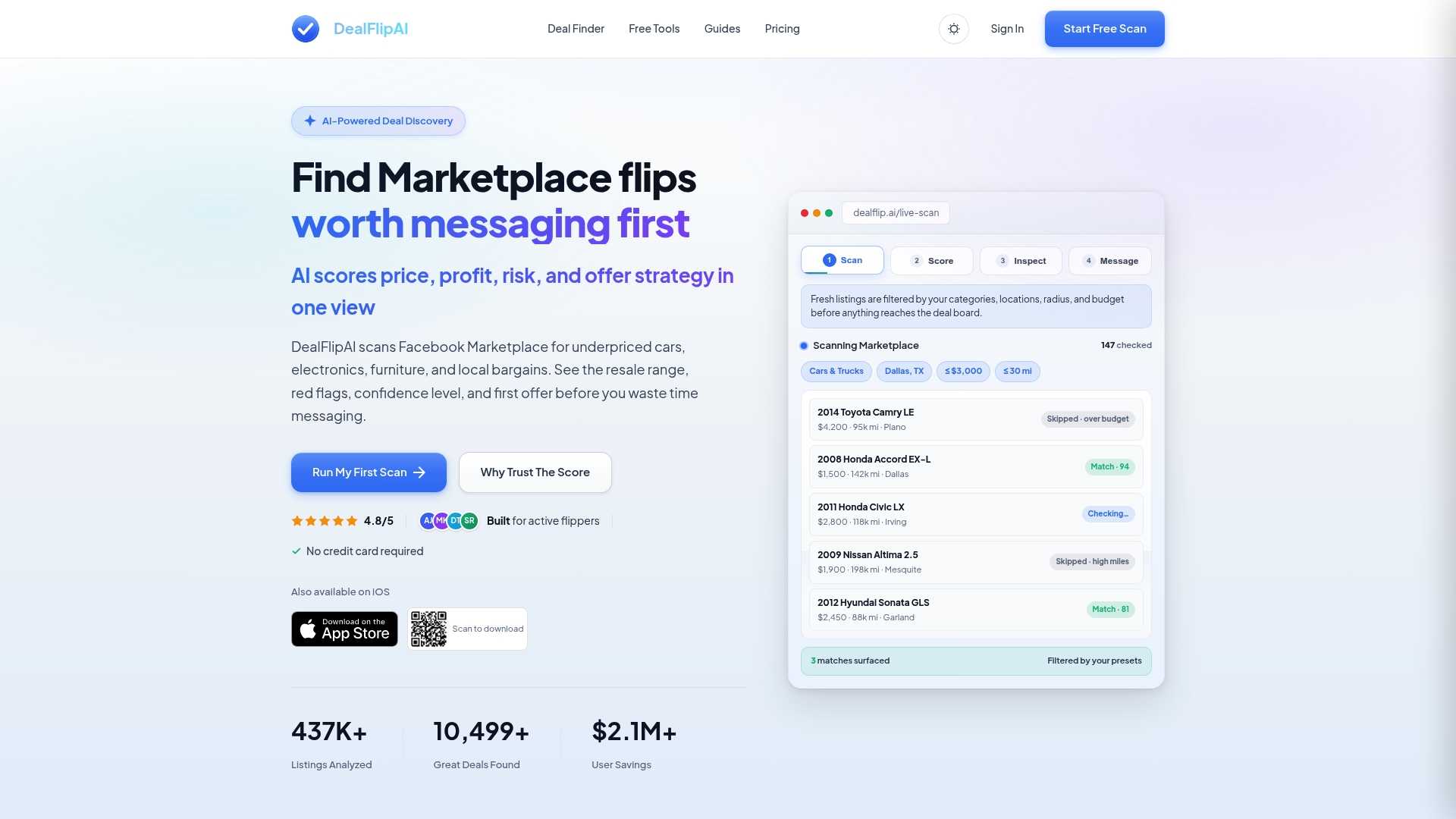
The Listing Analyzer breaks down any Facebook Marketplace listing with condition assessment, estimated market value, and a suggested first offer based on real comp data. If you want to find good deals on Facebook Marketplace before other resellers spot them, Dealflip's real-time alerts and AI scoring give you a measurable edge. Try it free and see how much faster your pricing decisions become.
FAQ
What is market price comparison for local listings?
Market price comparison for local listings means benchmarking your item's price against recent sold transactions in your area, not current asking prices. This gives you a realistic price based on what buyers actually pay rather than what sellers hope to receive.
Why should I use sold listings instead of active listings?
Pricing from active listings is the most common mistake new resellers make because those prices reflect seller expectations, not buyer behavior. Sold listings show the real transaction prices buyers paid, making them far more reliable for setting a competitive price.
How many sold comps do I need for an accurate benchmark?
You need at least 5 to 10 sold comps from the last 30 to 90 days to get a reliable benchmark. Fewer comps leave you vulnerable to outliers that distort your price expectations.
Does Facebook Marketplace charge fees for local sales?
Facebook Marketplace local sales carry no platform fees, meaning you keep 100% of the sale price. Shipped sales on the same platform include fees that can reach 10% to 20%, so local selling is the higher-margin option when buyers are nearby.
How do I account for condition differences in price comparisons?
Group your comps into condition bands such as like new, good, and fair, then calculate the median sold price for each band separately. Comparing across condition grades inflates your price expectations and leads to overpricing items that buyers will pass on.