

If Meta has flagged your account, here's your one move right now: if you got a hard restriction notice, open Facebook and submit your appeal today. If your listings just stopped showing up in searches (a shadowban), pause posting and spend the next hour gathering evidence instead of hitting "request review" immediately. Knowing which situation you're in is the difference between a fast fix and a wasted appeal.
Account Quality is where Meta shows you exactly what triggered the restriction, and it's the only place an appeal actually gets read. Before you do anything else:
- Screenshot the restriction notice and any policy clause it references.
- Stop creating new listings until you know what happened.
- Pull together buyer messages, order confirmations, and photos tied to the flagged item.
Sellers who move fast on hard bans and pause smart on shadowbans recover access far more often than those who panic and repost everything at once.
Key Takeaways
Avoiding a Facebook Marketplace ban comes down to fast, policy-specific appeals paired with consistent, original, well-documented listing behavior after reinstatement.
| Point | Details |
|---|---|
| Check Account Quality first | Find the exact policy clause cited before writing any appeal. |
| Keep appeals short and specific | Write 300 to 500 characters referencing the exact clause, with evidence attached. |
| Verify your identity when asked | ID-verified appeals report higher approval rates than unverified ones. |
| Ease back in after reinstatement | Limit posting volume and use only original photos and accurate descriptions. |
| Screen listings before posting | Tools like Dealflip AI's listing analyzer catch ambiguous wording and pricing red flags before Meta does. |
Table of Contents
- How to Avoid a Facebook Marketplace Ban by Reading the Restriction Correctly
- Step-by-Step Appeal Process to Get Reinstated
- What Prevents a Facebook Marketplace Ban After You're Reinstated
- Device and Account Habits That Lower Your Ban Risk
- How Long Does a Facebook Marketplace Appeal Take?
- How Dealflip AI Helps You Spot Risk Before Meta Does
- What I've Learned Watching Sellers Fight These Bans
- Check Your Listings Before Meta Does
- Sources
How to Avoid a Facebook Marketplace Ban by Reading the Restriction Correctly
Not every restriction is the same, and treating a shadowban like a full ban (or vice versa) wastes your best shot at a clean appeal. Meta typically shows one of three things: a full Marketplace access suspension, a feature restriction (you can browse but not post), or a quiet visibility drop where your listings stop appearing in search and category browsing even though your account looks normal.
Start in Account Quality, not your notifications tab. That's the canonical hub Meta directs sellers to for understanding what's at risk with your Marketplace access, and it lists the specific commerce-policy clause that triggered the action, not just a vague "you violated our policies" message.
- Open Account Quality and find the flagged item or account-level restriction.
- Read the exact wording of the policy clause cited. Copy it verbatim. You'll need it later.
- Check whether this is a listing removal (single item), a feature restriction (can't post at all), or a shadowban (posting works, but visibility has dropped).
- Gather evidence: screenshots of the original listing, your item history, buyer message threads, and any order confirmation numbers relevant to the flagged transaction.
- Note the date and time the restriction appeared. Reviewers ask for this, and it helps you track your appeal timeline.
Shadowbans are trickier because Meta doesn't announce them. If your listings have zero views within the first hour of posting, or engagement drops off a cliff compared to your usual pattern, that's often a visibility "cool down" rather than a formal ban, according to reseller recovery guides on restoring Marketplace visibility.
Pro Tip: Take a screenshot of the exact policy clause the moment you see it. Meta occasionally updates or rewords Account Quality notices, and having the original text saved protects you if the language changes before your appeal gets reviewed.
Step-by-Step Appeal Process to Get Reinstated
Your appeal has one job: convince a reviewer, in a few sentences, that the flag was a mistake or that you've corrected the issue. Vague pleas ("please help, I need this account") get ignored. Specific, policy-referencing appeals get read.
Here's the exact workflow:
- Open the flagged item or restriction inside Account Quality.
- Click Request Review.
- Write a 300 to 500 character appeal that names the exact policy clause Meta cited and explains, plainly, why the listing complies or what you've fixed.
- Attach supporting evidence when prompted: photos of the actual item (not stock images), buyer message screenshots, and proof of a legitimate sale history.
- If Meta requests ID verification, complete it. Appeals that include ID verification report meaningfully higher approval rates than appeals without it, likely because it confirms you're a real, accountable seller rather than a bot-run account.
A strong appeal reads something like this: "This listing was flagged under the Commerce Policy for prohibited item descriptions. The item is a used lawn mower, not a firearm accessory, and the word 'trigger' in my description referred to the throttle trigger mechanism. I've edited the listing to remove ambiguous wording and attached photos confirming the item's true nature." That's specific, references the clause, and shows corrective action, exactly what effective appeals are built around.
Meta's typical review window runs 24 to 72 hours. Resist the urge to submit a second appeal during that window. Duplicate appeals don't speed things up, and some reseller reports suggest they can actually reset your place in the queue. If 72 hours pass with no response, that's your signal to escalate through the Business Help Center rather than resubmit the same request.
While you wait, don't sit idle. Pause any new posting, review your other active listings for the same wording or photo issues that got you flagged, and clean those up preemptively. Community troubleshooting threads, including discussions among resellers dealing with Marketplace restrictions, consistently point back to one thing: the official appeal through Account Quality is the path that actually works, not workarounds.
Every appeal you submit either helps or hurts your account's trust score with Meta's systems, so treat the 300 to 500 character window as your one real shot per issue, not a rough draft.
What Prevents a Facebook Marketplace Ban After You're Reinstated
Getting reinstated is only half the job. Sellers who get flagged twice usually make the same mistake: they go right back to the exact behavior that got them restricted the first time. Reinstatement is a probation period, not a clean slate.
The single biggest re-ban trigger reseller guides point to is listing volume. If you post 40 items the day your account comes back online, you look like a bot to Meta's automated systems, even if a human would recognize you as a legitimate reseller. Ease back in.
- Post a handful of listings per day for the first two weeks, not a full inventory dump.
- Use original photos you took yourself. Stock or manufacturer images are a common flag, especially for electronics and furniture categories.
- Write descriptions of at least 50 words that describe the item plainly. Thin, copy-pasted, or keyword-stuffed descriptions read as spam.
- Avoid ambiguous or double-meaning words. Terms that sound weapon-related, drug-related, or otherwise flaggable in everyday reseller language ("trigger," "piece," "loaded") get caught by automated moderation even in totally innocent contexts.
- Never repost an item Meta removed under the same photos and title. Edit the original listing instead. Recreating a flagged listing looks like evasion to the classifier, even when your intent is innocent.
- Keep every buyer conversation inside Messenger. Requests to move to text, email, or a different payment app raise red flags for both Meta and cautious buyers.
Running your listing text through a checker before you post, like the scam and listing review tools built for resellers, catches ambiguous phrasing before it becomes a problem instead of after.
Pro Tip: Keep a simple log of every listing's post date, photo source, and description. If you get flagged again, that log tells you in seconds whether volume, wording, or images caused it, instead of guessing.

Meta also updates its Commerce Policies on a regular cadence, and some changes apply retroactively to listings you already posted. A quick policy check every few months costs you five minutes and saves you from being blindsided by a rule that didn't exist when you first listed an item.
Device and Account Habits That Lower Your Ban Risk
Meta's automated systems don't just look at what you post. They look at how and where you post it. Consistency reads as human behavior; erratic patterns read as bot behavior, and that distinction shapes a lot of what gets auto-flagged before a human ever sees it.
- Post from the same device every time. Switching between phones, browsers, and tablets throughout the day looks like account sharing or automation to Meta's detection systems.
- Use a stable residential IP address rather than a VPN or public Wi-Fi. VPN traffic frequently shares an IP range with accounts that have already been flagged, and that guilt-by-association can drag your account down with them.
- Avoid running multiple Marketplace accounts from the same device or network. Cross-posting the same item across several accounts in a short window is one of the clearest spam signals in Meta's playbook.
- If you're selling from a phone or tablet you're prepping for resale yourself, wipe it properly first. A factory reset before selling protects your own data and keeps device-swapping habits from looking suspicious to platforms tracking hardware fingerprints.
- Consider Meta's optional seller verification. A verified badge signals to both buyers and Meta's systems that you're an accountable, real-identity seller, which tends to soften how aggressively automated moderation treats your listings.
None of this guarantees immunity. It does mean your account behaves like the profile of a trusted, established seller instead of a disposable bot account, and that distinction matters every time an algorithm decides who gets the benefit of the doubt.
How Long Does a Facebook Marketplace Appeal Take?
Most reviews land within Meta's standard 24 to 72 hour window, and appeals filed within the first week of a restriction tend to perform better than ones filed after letting the issue sit. Waiting weeks to appeal makes it harder to reconstruct the exact circumstances a reviewer wants to see.
Appeals that reference the specific policy clause and include ID verification report notably higher approval rates than generic appeals without documentation, based on case log benchmarks from reseller recovery guides. If your first appeal gets denied, wait for Meta's response before trying again rather than flooding the queue, and escalate through the Business Help Center if you've heard nothing after the standard window closes. A permanent ban notice, as opposed to a temporary restriction, usually means the escalation path through Business Help Center is your only remaining option, and even that isn't guaranteed to reverse the decision.
How Dealflip AI Helps You Spot Risk Before Meta Does
Every trigger covered so far, ambiguous wording, duplicate stock photos, suspicious pricing, thin descriptions, shows up in your listings before you ever hit "post." That's the window where Dealflip AI's tools are actually useful.
- The listing analyzer flags ambiguous or double-meaning words in your description before you publish, the same category of language that trips automated moderation.
- The scam detection engine cross-checks pricing and seller signals against market data, catching the kind of red-flag pricing patterns that make both buyers and Meta's systems suspicious.
- Real-time alerts help you track pricing trends by category, which keeps your listings priced in line with market norms instead of looking artificially low, a pattern that(spam classifiers) often associate with scam or bot-run accounts.
Sellers using tools like the listing analyzer report catching wording issues and duplicate-image risks before they become a policy strike, not after.
| DealFlipAI Feature | Ban-Risk It Addresses |
|---|---|
| Listing analyzer | Ambiguous wording, thin descriptions, duplicate stock photos |
| Scam detection | Suspicious pricing patterns that read as bot or fraud activity |
| Real-time alerts | Market-based pricing checks that keep listings from looking artificially low |
What I've Learned Watching Sellers Fight These Bans
The sellers who recover fastest aren't the ones who find a clever workaround. They're the ones who file a tight, policy-specific appeal, verify their identity when asked, and then actually change the behavior that caused the flag in the first place.
I get why that's frustrating when Marketplace income pays real bills. But chasing shortcuts around Meta's systems tends to compound the problem, not solve it. The measured path, appeal fast, fix the wording, verify who you are, is slower than you want. It's also the one that works.
— Walsh Pex
Check Your Listings Before Meta Does
Every risk factor in this guide, ambiguous wording, duplicate photos, off-market pricing, is something you can catch before you post, not after you get flagged. That's the entire premise behind Dealflip AI's listing analyzer: run your description and photos through it before you list, and it flags the exact patterns Meta's moderation systems are trained to catch, using real market data instead of guesswork.
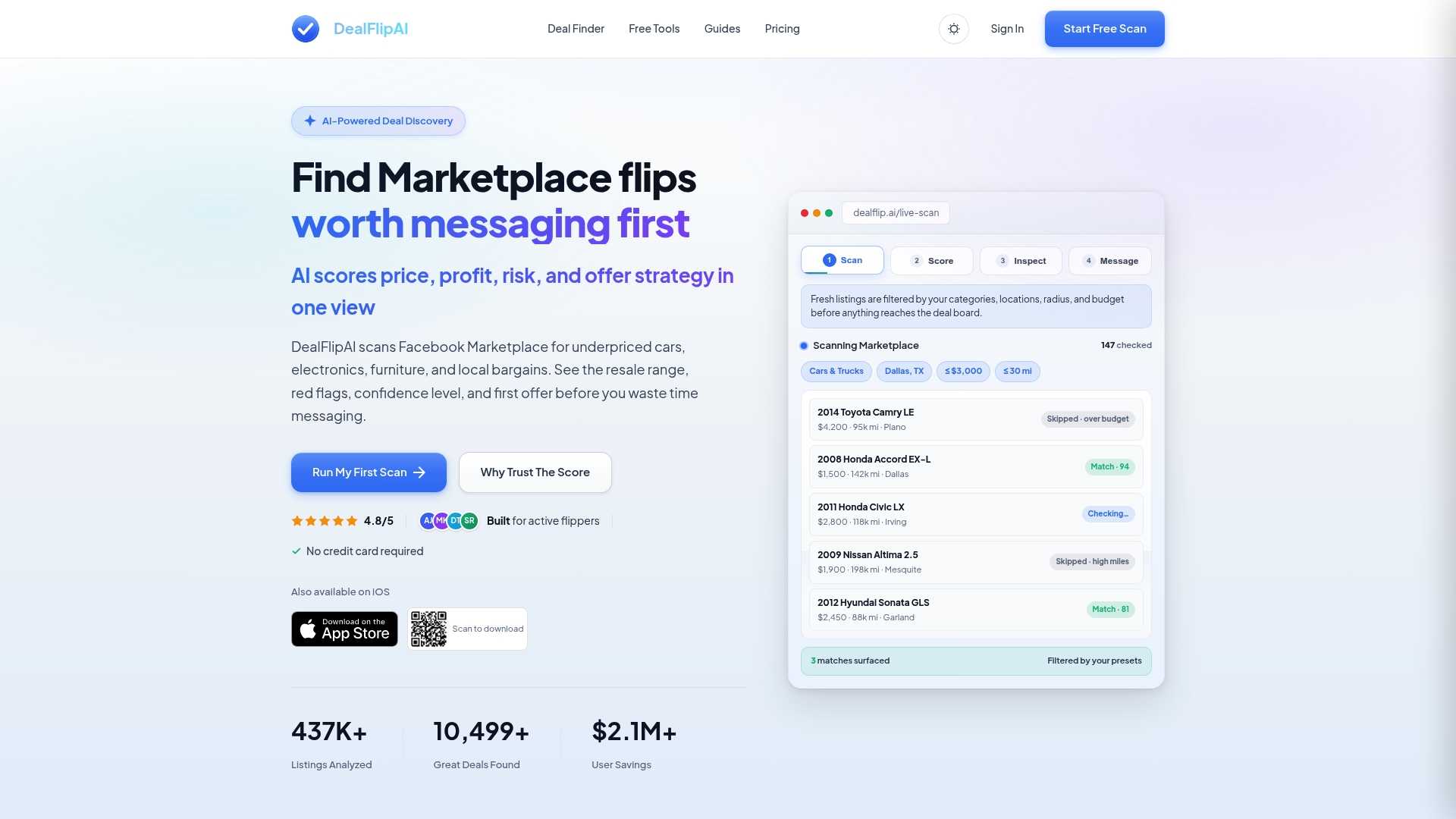
Pair that with the scam checker to screen pricing and seller signals on items you're buying, and you're covering both sides of the account risk equation: what you post and what you respond to. If you're actively reselling and want a faster way to see good deals worth pursuing without the manual scanning, start with a free listing scan and see what it flags on your current inventory.
Sources
- What it means if your Facebook Marketplace access is at risk
- Facebook Marketplace Shadowban Fix – Restore Visibility Fast - nomi Blog
- Understanding Facebook Marketplace Rules for 2026