

What is the listing verification process and why does it matter?
The listing verification process is how online platforms confirm that a business or property profile is controlled by an authorized person and physically exists where claimed. It is an identity and control signal, not a quality endorsement. Verified listings confirm that someone responsible has claimed and managed the profile, but they do not guarantee service quality, pricing fairness, or customer satisfaction.
Verification shows up across platforms you already use:
- Google Business Profile: confirms you control your business listing and can edit hours, respond to reviews, and access performance data
- Airbnb: confirms a listing is a real home at an accurate location with host access
- Booking.com: confirms a property's physical location before it can accept new bookings
Without verification, your listing may exist but you cannot fully manage it, correct errors, or build credibility with potential customers.
How to verify your business on Google Business Profile
Google's verification process gives you ownership of your Business Profile so you can keep your information accurate and interact with customers. Here are the steps:
- Find or create your listing. Search your business on Google. If it exists, claim it. If not, create a new listing with your real business name, complete address, and an active phone number.
- Choose your verification method. Google determines your available options based on your business category, location type, account history, and region. You cannot manually select a method.
- Submit your verification proof. Options typically include:
- Video verification: Record a short, continuous video showing your street sign, building exterior, interior workspace, and any branded materials.
- Postcard: Google mails a 5-digit code to your address. Do not edit your business name, address, or category while waiting, or the code becomes invalid. Codes expire after 30 days.
- Phone, SMS, or email: Instant code delivery, available only for eligible businesses.
- Live video call: A Google representative joins a call to view your location in real time. Available only during your business hours.
- Enter your code or complete the call. Follow the on-screen steps to submit your proof.
- Wait for review. After you complete the steps, Google reviews your submission. This can take up to 5 business days, not counting mail delivery time.
- Get confirmed. You receive a confirmation email. Your listing becomes fully editable, and you can respond to reviews, publish updates, and add services or photos.
Pro Tip: If the "Get verified" button reappears after submission, Google could not fully verify your business. Try re-verifying with an alternative method or contact Google support.
Common troubleshooting issues include inconsistent business details, unclear video proof, or address mismatches. Fix these issues by re-submitting with corrected information.
How Airbnb verifies listing locations
Airbnb's location verification confirms that a listing is a real home, at an accurate location, and that the host has access to it. The process typically takes 15–30 minutes per method.
- Check your Publishing checklist. Airbnb will prompt you if location verification is required for your listing.
- Choose a verification method. Airbnb assigns the method based on your listing type. Options include:
- Photos: Take 2 new photos (one outside, one inside) using the Airbnb app with precise location sharing enabled. The inside photo must match an existing photo from your listing page.
- Videos: Record short clips showing you inside near the front door, outside showing the exterior, and a nearby street sign.
- Historical data or documentation: Some listings earn a Verified Location badge based on past booking data, guest reviews, or supplemental documents provided during listing creation.
- Complete the process on-site. Most methods require you or a trusted representative to be physically present at the property.
- Wait for Airbnb's review. Airbnb uses a combination of human and automated review. You will hear back within 24–48 hours whether your listing is verified or if more information is needed.
- Receive your Verified Location badge. The badge appears on your listing's map view once requirements are met.
A few important limits to understand: the Verified Location badge only confirms location and access. It does not verify your listing description, amenities, or neighborhood details. Airbnb also notes that no verification process is foolproof, and badge status can change without notice.
Common verification methods and what timelines to expect
Platforms use several overlapping methods to confirm listing authenticity. Understanding the range helps you plan ahead and avoid delays.
- Automated digital checks: Instant cross-referencing of submitted details against public records and platform data
- Phone or SMS codes: Delivered in minutes for eligible businesses
- Email verification: Near-instant for accounts with confirmed email addresses
- Video verification: Usually reviewed within a few business days; requires physical presence at the location
- Postcard or letter: The slowest method. Google postcards may take a variable duration to arrive depending on the area. Booking.com letters can take up to 35 days depending on your region.
Delays typically happen when submitted details do not match public records, video footage is unclear, or edits are made to the listing during the verification window. Manual reviews add extra time on top of any delivery wait.
Verification is not a one-time event. A verified business must maintain consistent name, address, and phone numbers across platforms to keep its verified status. Ownership changes, rebrands, or relocations can trigger a full re-verification. The FTC also recommends that buyers verify listings in layers, asking specific questions and confirming access before trusting any listing, especially in rental markets.
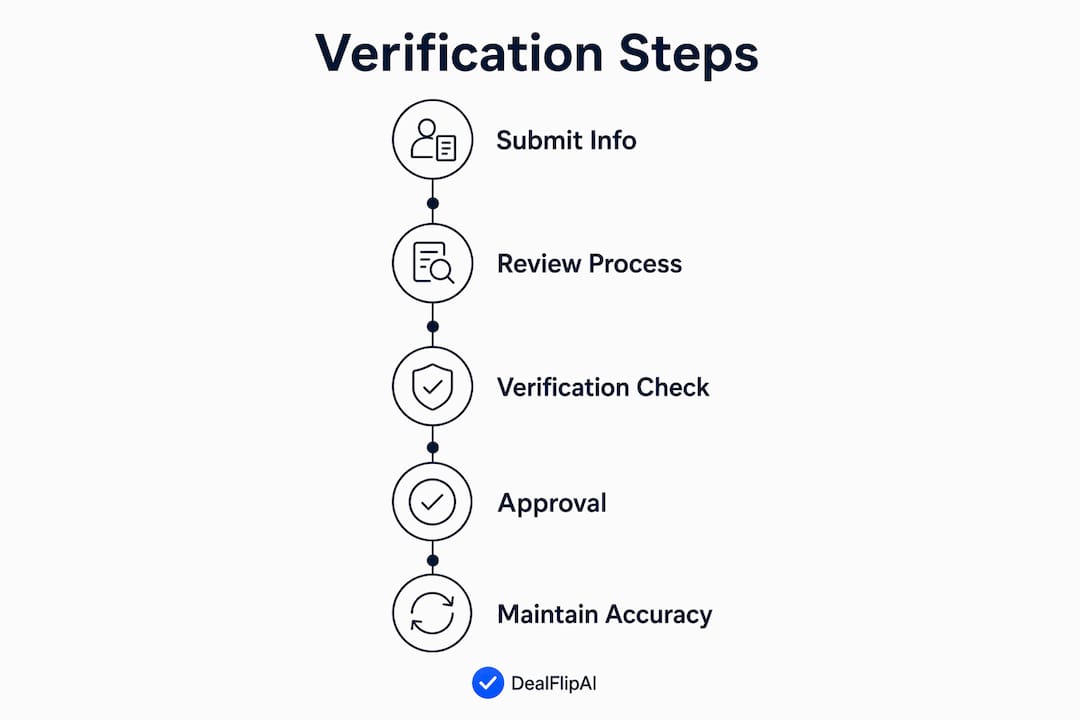
What you need to qualify for listing verification
Requirements vary by platform, but most share a common baseline. You generally need:
- An active, reachable contact method (phone number, email, or physical address) that matches your listing
- A real physical location or service area that you can demonstrate through video, photos, or a mailed code
- Consistent business identity details across your name, address, and phone number. Manual review processes often check for exact matching of punctuation, address formats, and phone formats against public records.
- At least five photos uploaded (required by Booking.com before location verification can proceed)
- Authorized access to the property or business at the time of verification
If you are verifying a rental property, you or a trusted representative must be physically present for most video and photo methods. Delegating access is allowed on some platforms, but you remain responsible for the accuracy of what is submitted.
How verification works on other major platforms
Beyond Google and Airbnb, several platforms run their own listing validation procedures:
Booking.com uses video upload, mailed letters with unique codes, or video calls. Letter delivery can take up to 35 days. If a property remains unverified, Booking.com temporarily closes it to new bookings and blocks pending payouts.
Facebook Marketplace relies on account-level identity checks, phone number confirmation, and community reporting rather than a formal location verification badge. Listings can still carry red flags even without a formal verification failure.
Yelp and other business directories typically use phone or postcard verification similar to Google, with manual review for regulated professions that require license or credential matching.
SSL and domain-based platforms use organization validation to confirm a business's legal identity before issuing trust credentials, a process that mirrors the identity-first logic of listing verification.
The core principle is consistent across all of them: verification confirms identity and control, not quality.
Security and privacy considerations during verification
Verification requires you to share sensitive details, so handling that process carefully protects both your business and your customers.
Keep these points in mind:
- Never share verification codes with third parties. Platforms send codes directly to you. A request to forward a code is a scam signal.
- Use official platform portals only. Submit videos, photos, and codes through the platform's own interface, not through email links from unknown senders.
- Protect location data in videos. Video verification footage may capture your interior layout, street address, and nearby landmarks. Only submit through secure, official upload tools.
- Monitor profile access annually. Verification can become locked behind a former employee's account. Confirm that you control the login credentials tied to your verified profile.
- Cross-check your listing's consistency. Consumers looking for legitimate businesses check for stable business identity across multiple platforms, not just a single badge. Keeping your name, address, and phone number consistent everywhere is both a security and a trust practice.
If you are a reseller or buyer evaluating listings rather than creating them, tools like Dealflip AI's listing analyzer can help you spot inconsistencies and scam signals before you commit to a deal.
Ready to take your listing research further?
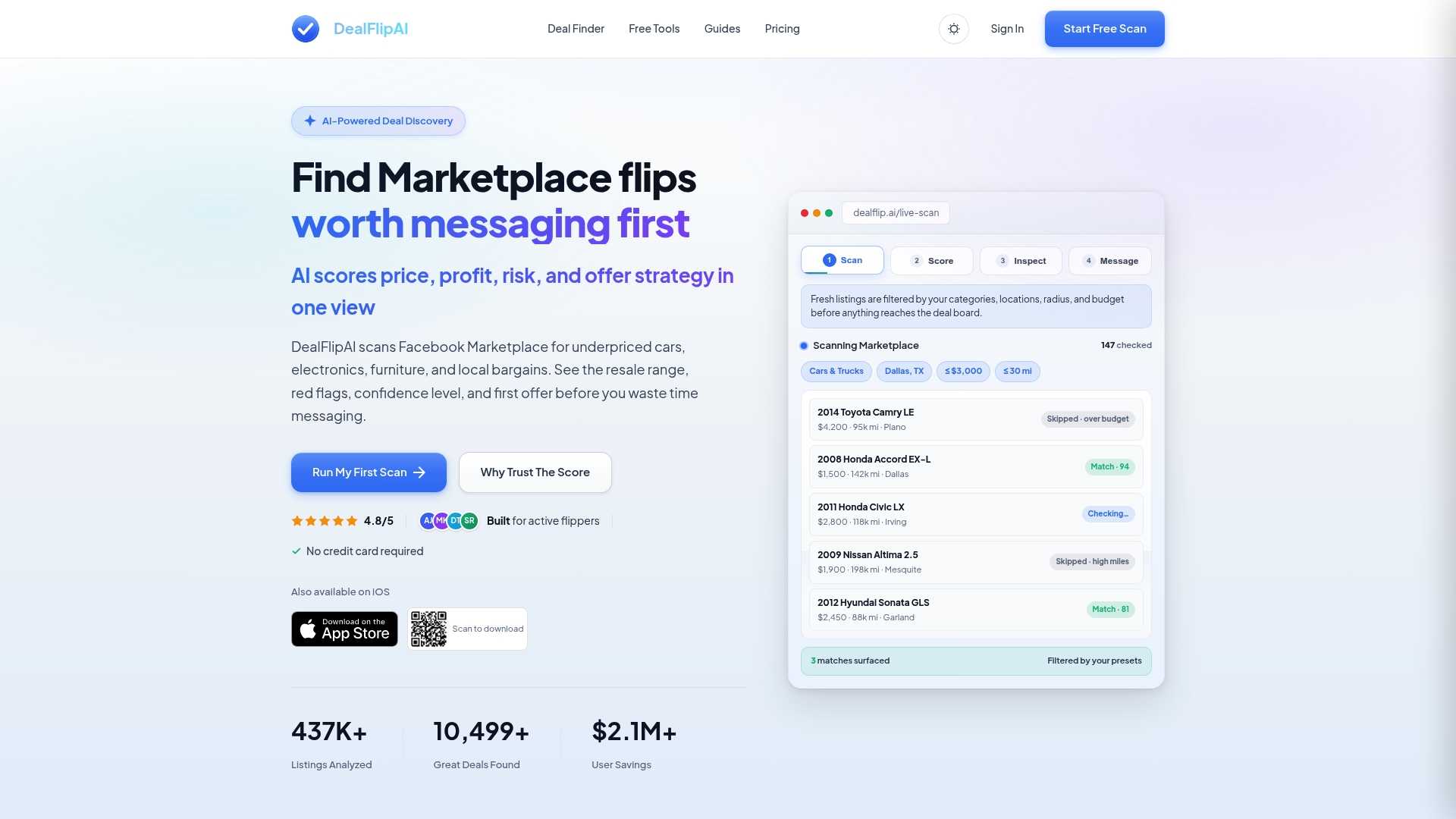
Dealflip AI gives resellers a faster way to evaluate listings before making an offer. The AI-powered listing analyzer scores deals on price, profit potential, and risk factors so you spend less time guessing and more time flipping. Try it free and see why verified listings are just the starting point.
Key Takeaways
Listing verification confirms identity and control, not quality. A verified badge means an authorized person has claimed the profile and demonstrated the business or property exists where stated.
| Point | Details |
|---|---|
| Verification confirms control | Platforms confirm an authorized person manages the profile, not that the listing is high quality. |
| Google review typically takes several business days to complete | After completing verification steps, Google reviews your submission within 5 business days, excluding mail delivery time. |
| Airbnb usually notifies hosts of verification results within a few days | Airbnb uses human and automated review and tells you the outcome within 1–2 days of submission. |
| Postcard delivery varies widely | Google postcards may take a variable duration to arrive depending on the area. Booking.com letters can take up to 35 days depending on your region. |
| Verification requires ongoing maintenance | Ownership changes, rebrands, or inconsistent details can trigger re-verification and loss of verified status. |