

If a listing clears a solid net margin after fees, shipping, and prep time, and shows real photos with a specific price, it's worth pursuing. If it has stock-photo images, a suspiciously round price, or a seller who refuses to answer basic questions, skip it. That's the whole rule. Run the numbers before you message anyone.
- Absolute skip flags: stock/watermarked photos, or a seller who won't state a firm price
- Skip flags: pressure to pay before pickup, no local pickup option offered
- The one metric that matters most: net margin after fees, shipping, and time
Quick math: an item priced at $150 with a $220 resale comp, minus fees and shipping, and time spent listing, clears a healthy margin. That's a buy. Below a modest margin threshold, most experienced flippers pass.
Run the 90 to 120 second checklist below on every listing before you commit to a drive or a message.
Key Takeaways
Profitable Facebook Marketplace flipping comes down to checking sold comps, subtracting real fees and time, and requiring at least 20 to 30% net margin before you commit.
| Point | Details |
|---|---|
| Set a margin floor | Require 20 to 30% net margin after fees, shipping, and time before buying. |
| Run the two-minute scan | Check photos, comps, and fee math before messaging any seller. |
| Watch the red flags | Off-platform payment requests and inconsistent photos are the clearest scam signals. |
| Track listing metrics | Use views, saves, and message rate to fix pricing and photo quality. |
| Use DealFlipAI for screening | The platform scores comps, profit, and scam risk automatically so you focus on the best listings first. |
Table of Contents
- What Listing Signals Should You Read Before You Message a Seller?
- How Do You Analyze a Listing in Under Two Minutes?
- Which Tools Actually Speed Up Comps and Tracking?
- What's the Exact Formula for Calculating Resale Profit?
- What Are the Biggest Scam Red Flags on Marketplace?
- What Metrics Should You Track to Improve Your Listings?
- What Does DealFlipAI Show You That Manual Checks Miss?
- How Do You Spot Counterfeit Items Before You Buy?
- Get Your First Free Listing Analysis Today
- Frequently Asked Questions
- Sources
What Listing Signals Should You Read Before You Message a Seller?
Every Facebook Marketplace listing hides clues in five places: the headline, the price, the photos, the description, and the seller's profile. Learning to scan all five in seconds is the core skill behind any real Facebook marketplace analysis.
Start with the headline and price together. A seller who lists "PS5 Slim, brand new sealed, $280" is giving you a model number and condition claim you can verify against sold comps instantly. A vague "gaming console, works great, $250" tells you the seller either doesn't know what they have or is hoping you won't check.
Photos matter more than most buyers realize. Look for:
- Serial numbers or model tags visible in at least one shot
- Wear patterns that match the stated condition (scuffs, scratches, discoloration)
- Multiple angles of the same physical item, not a single stock photo
- Consistent lighting and background across all images, which suggests the seller actually has the item in hand
A description that's short and generic, like "good condition, must sell," usually means the seller hasn't measured, tested, or verified anything, so ask direct questions before assuming the worst. Seller profile signals worth checking include account age, join date, and whether other listings show a consistent pattern rather than a single item dumped overnight. A detailed breakdown of seller trust signals can help you calibrate what's normal for your category. Finally, note the posted time and shipping flag: a listing that's been up for three weeks in a dense metro area tells you something the market already knows.
How Do You Analyze a Listing in Under Two Minutes?
You don't need a spreadsheet to evaluate marketplace listings quickly. You need a repeatable sequence you can run on your phone while standing in line.
- Scan photos and headline (3 to 5 seconds). Look for real photos, a specific model or brand, and a price that isn't suspiciously round.
- Run a quick comps check. Search the item name plus "sold" on eBay, or drop it into Google with quotes around the model number. This is the fastest way to compare Facebook marketplace prices against what buyers are actually paying, not asking.
- Plug in fees and shipping. Subtract cross-listing fees, payment processing, and shipping costs from your comp price to get a conservative resale ceiling.
- Ask two verification questions before you drive. "Can you send one more photo of the serial number?" and "Is the price firm or is there room to negotiate?" both filter out flaky or dishonest sellers fast.
Example: A listing shows a cordless drill kit at $60. Sold comps on eBay average $95 for that model. That clears the bar.
Pro Tip: Save your comp searches as bookmarks by category. Reusing the same search string for "DeWalt drill kit sold" saves you 10 to 15 seconds every single time you evaluate a similar listing.
Which Tools Actually Speed Up Comps and Tracking?
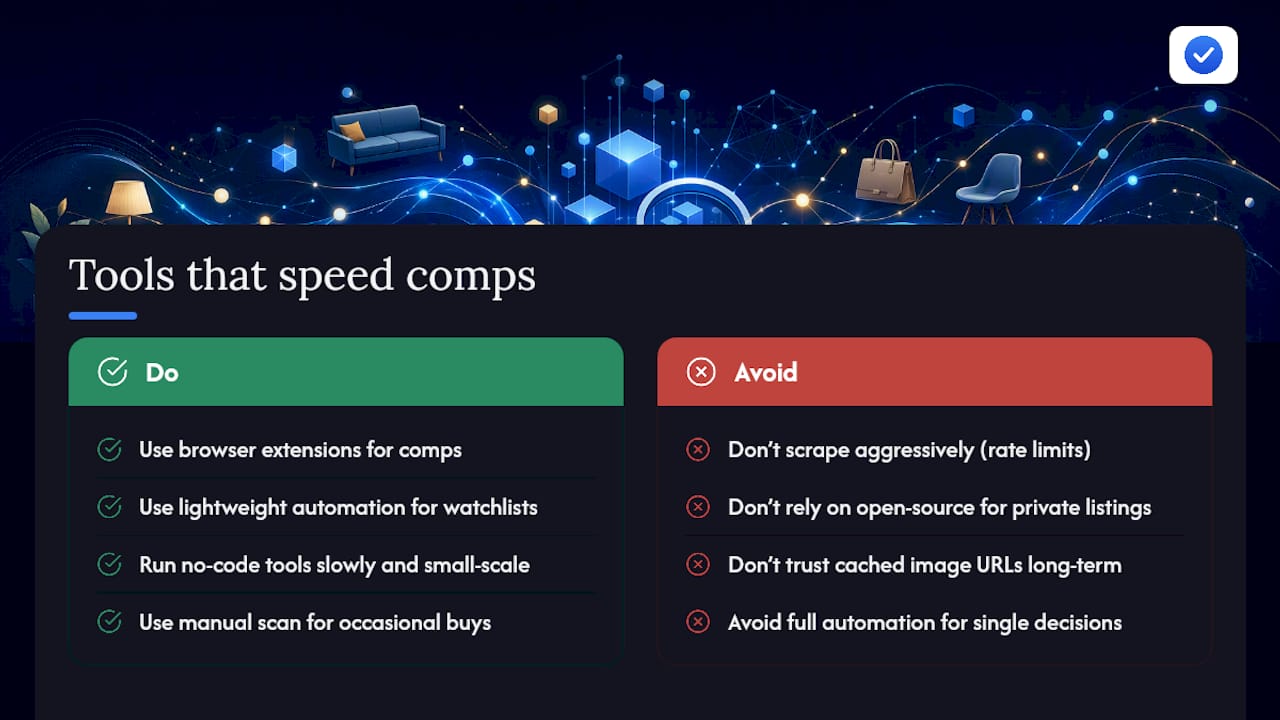
Manual comps work fine for one-off decisions, but they don't scale if you're screening dozens of listings a day. That's where extensions and lightweight automation start to earn their place in your workflow.
Browser extensions like Flipalyze pull sold comps and estimated profit margins directly onto the listing page, which saves the tab-switching that manual research requires. These tools typically work by reading Open Graph meta tags embedded in the page, the same hidden data Facebook uses for link previews, and in some cases running basic OCR on images to detect text like brand names or serial numbers.
Here's the catch: Marketplace sits behind a login wall, and Facebook actively fights automated scraping. Tools built for no-code scraping of Marketplace work best at small scale and slow speeds, precisely because rate limits and session requirements make aggressive automation risky. Open-source analyzers face similar friction: a well-documented Facebook Marketplace Analyzer can extract meta tags and compute a rough scam score, but it only works on public listings, and image URLs on Facebook expire, so cached data can go stale within hours.
Automation earns its keep once you're tracking watchlists across categories or want alerts the moment a fresh listing matches your criteria. For occasional buyers, a manual scan plus one comps search is still the faster path.
What's the Exact Formula for Calculating Resale Profit?
Net profit isn't just "sale price minus what you paid." Skipping fees, shipping, and time is how resellers convince themselves a bad flip was a good one.
Use this formula for profit tracking every time:
- Start with your realistic resale price, based on sold comps, not asking prices.
- Subtract the purchase price you'd actually pay after any negotiation.
- Subtract platform and processing fees. Cross-listing platforms typically charge 10 to 13% in selling fees, and Facebook's own shipping service takes a 10% cut when you use it.
- Subtract shipping and packaging costs if you're not doing local pickup only.
- Subtract a time value for listing, photographing, and answering messages, even a rough $10 to $15 estimate per item.
For small home goods and electronics, most resellers require at least 20 to 30% margin before committing; higher-effort categories like furniture, which need a truck and two people, should clear closer to 40%. A flip profit calculator removes the guesswork from this math entirely.
What Are the Biggest Scam Red Flags on Marketplace?
Prioritize these checks before you send money or drive anywhere:
- Inconsistent photos, where the item's background or lighting changes between shots, often signals stolen stock images.
- Pressure to pay off-platform through Zelle, Venmo, or a wire transfer before you've seen the item in person is one of the clearest scam signals on Marketplace.
- Mismatched location, where the seller's listed area doesn't match their stated pickup point, deserves a direct question before you commit.
- Unusual payment requests, like gift cards or cryptocurrency, should end the conversation immediately.
Check the seller's account age and activity history. A profile created last week with no other listings and one high-value item is worth extra scrutiny. For a deeper walkthrough on spotting scam listings, review specific message patterns scammers reuse across categories.
Pro Tip: If a seller won't send one more photo with a timestamp or won't agree to a public meetup, that's your answer. Walk away before you waste a drive.
What Metrics Should You Track to Improve Your Listings?
Facebook's own Marketplace Insights show clicks, saves, and shares on your listings, and these numbers tell you more about pricing and photo quality than gut instinct ever will. High views with low messages usually means your price is off. High saves with no messages often means buyers are comparison shopping and waiting.
Track response time separately: a "qualified conversation" is one where the buyer asks a specific question about condition, price, or pickup, not just "still available?" Build a simple weekly scorecard:
Use unique intake questions, like asking every buyer where they heard about the item, to attribute offline closes back to specific listing templates.
What Does DealFlipAI Show You That Manual Checks Miss?
DealFlipAI runs the comps math, fee math, and scam screening described above automatically, and returns four core outputs on every listing it scans: price versus sold comps, estimated net profit after fees and shipping, a scam risk score, and a suggested first-offer price based on how the item compares to similar sold listings.
That doesn't replace the manual verification steps. You still confirm condition in person, check serial numbers against photos, and read seller signals before committing to a pickup. What the platform saves you is the screening time: instead of running comps searches on 20 listings, you scan a watchlist where the scoring has already flagged the three worth your attention.
A deal score is only useful if it changes your next action. The point isn't a number on a screen, it's knowing which three listings out of thirty deserve a message today instead of a scroll past.
- Screening watchlists across multiple categories at once
- Real-time alerts the moment a matching listing goes live
- Batch analysis when you're comparing five similar items before choosing one
How Do You Spot Counterfeit Items Before You Buy?
Counterfeit and misrepresented items show up constantly in electronics, sneakers, designer accessories, and small appliances, and Facebook Marketplace's mix of casual sellers and low listing friction makes it easier for fakes to slip through than on platforms with stricter authentication.
Start with the serial number or model tag. Ask for a clear photo of it before you agree to meet, then search that exact serial format against the manufacturer's known numbering pattern. Counterfeit electronics often use serial numbers that are either missing entirely, printed in the wrong font, or placed in a location that doesn't match manufacturer photos.

Weight and material feel are underrated authenticity checks. A "genuine leather" bag that feels suspiciously light, or headphones that weigh noticeably less than the manufacturer spec, are common counterfeit tells that photos alone won't reveal.
Compare the box, packaging, and included accessories against official product photos. Counterfeiters often nail the main item but skip small details: missing warranty cards, wrong charger cable types, or packaging fonts that don't match the real brand.
Price is itself a signal. An item listed at 70% below the lowest sold comp, especially in categories like designer goods or new-in-box electronics, is far more likely to be counterfeit or stolen than a genuine bargain. Cross-reference the seller's other listings; a profile selling multiples of the "same rare item" is a common pattern among counterfeit resellers. When in doubt, insist on an in-person inspection with a return window, or walk away.
Get Your First Free Listing Analysis Today
Everything in this checklist, the comps search, the fee math, the scam screening, is exactly what DealFlipAI automates for you. Instead of running each step by hand on every listing, you get a scored breakdown in seconds, so you spend your time on the deals worth pursuing instead of the ones that waste a drive.
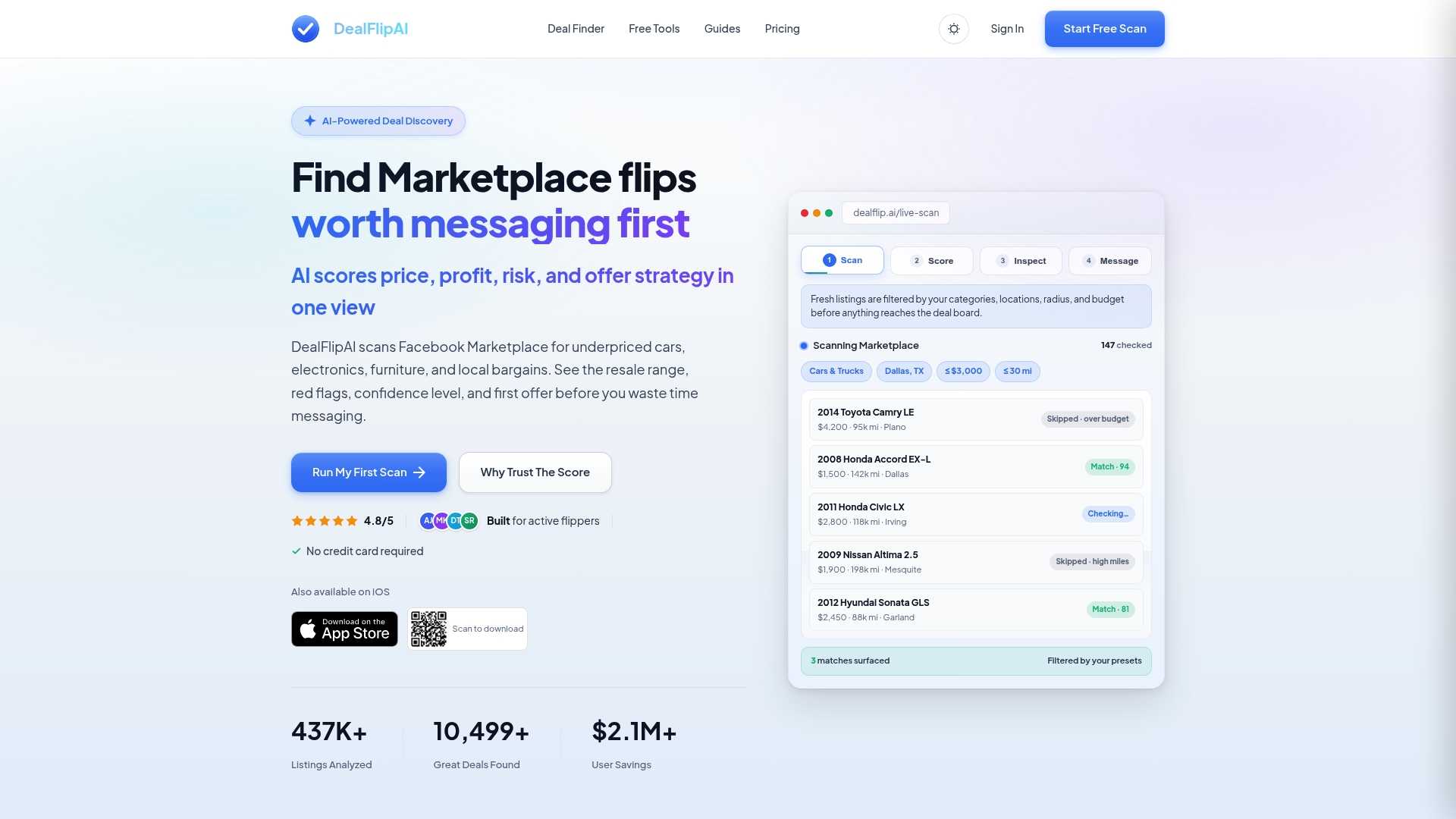
Start with the free Facebook Marketplace Listing Analyzer: paste in a listing and get a comps comparison, estimated net profit, and a scam risk score without creating an account. If you like what you see, the Facebook Marketplace Deal Finder shows you how the scanning and alert system works across categories and price ranges. For readers who buy and flip regularly, the paid tiers add higher scan volume, saved category presets, and real-time alerts the moment a matching listing appears, so you're not the tenth person to message a good deal. If you want the full walkthrough first, this guide to finding good deals covers the same workflow in more depth.
A Reseller's Note on the Workflow
Running comps and fee math on every listing used to eat up half my evening. Cutting that down to a two-minute check per item means more actual pickups and fewer wasted trips chasing listings that were never going to clear a real margin. The scam screening step alone has kept me from three bad meetups this year.
Frequently Asked Questions
What's the fastest way to analyze Facebook marketplace listings before messaging a seller? Scan the photos and headline for specificity, run one quick comps search on eBay sold listings, then subtract fees and shipping from that comp price. That sequence takes under two minutes and filters out most bad deals.
How do I compare Facebook marketplace prices against real resale value? Search the exact model name plus "sold" on eBay, since active listing prices reflect what sellers hope to get, not what buyers actually pay. Google searches with the model number in quotes also surface recent sold data on other resale sites.
What margin should I require before buying an item to resell?
Are browser extensions reliable for Facebook marketplace analysis? Extensions like Flipalyze pull sold comps and profit estimates directly onto the listing page, which speeds up screening, but they still rely on public data and can miss nuance a manual check would catch, like condition wear visible only in certain photos.
What are the clearest scam signals to check before a pickup? Watch for pressure to pay before you see the item, mismatched pickup locations, and requests for gift cards or wire transfers. A profile with no listing history and one high-value item also deserves extra scrutiny.
Sources
- Insights on Facebook Marketplace | Facebook Help Center
- Scrape Facebook Marketplace
- Facebook Marketplace Analyzer (README)