
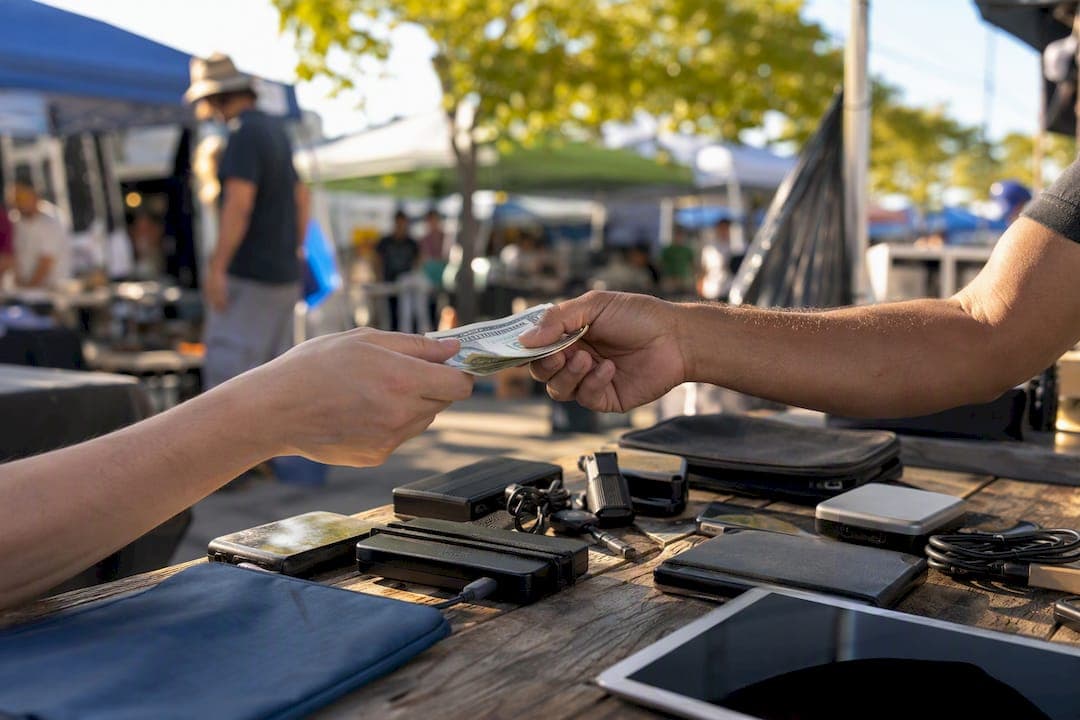
Yes, flipping iPhones locally works as a side hustle if you source carefully, run a real inspection, and price with margin math instead of guesswork. The used smartphone market is large and still growing, which means steady buyer demand in your area for clean, verified iPhones. That demand is only useful if you buy right.
Your first move: set up a local watchlist tonight, not tomorrow. Whether that's manually refreshing Facebook Marketplace or letting DealFlipAI's deal alerts flag underpriced listings the moment they post, speed is what separates flippers who profit from people who just browse.
Before you meet anyone, check two things on every listing:
- IMEI and iCloud status — confirm the phone isn't blacklisted or locked to someone else's account
- A rough sold comp — check what the same model, storage, and condition actually sold for last week, not what someone's asking
Pro Tip: A listing with no battery health screenshot and a price that's suspiciously below sold comps is usually a red flag, not a bargain.
Key Takeaways
Flipping iPhones locally turns a profit reliably when buyers verify IMEI and Activation Lock status, check battery health against an 80% threshold, and price against sold comps rather than asking prices.
| Point | Details |
|---|---|
| Verify before you buy | Run an IMEI/blacklist and Activation Lock check on every phone before handing over cash. |
| Battery health sets value | A health reading below roughly 80% should trigger a lower offer or a walk-away. |
| Price off sold comps | Use actual completed sales on Swappa or eBay, not asking prices, to set your buy target. |
| Local sales skip fees | Marketplace and Craigslist pickup sales avoid platform fees that cut into eBay or Swappa margins. |
| Speed compounds profit | Faster-turning flips at smaller margins often beat slow flips at bigger ones for building volume. |
Table of Contents
- How to Flip iPhones Locally: The Quick-Start Checklist
- Where Should You Look for iPhones to Flip?
- How Do You Inspect a Used iPhone Before Buying?
- What Should You Pay to Guarantee a Profit?
- How Do You Write a Listing That Actually Sells?
- What's the Best Workflow for Repeatable Local Flips?
- Where to Verify iPhones and Check Prices
- What Actually Matters When You Flip iPhones Locally
- Sources
How to Flip iPhones Locally: The Quick-Start Checklist
You can go from scrolling listings to standing in front of a seller in under an hour if you prepare the right five minutes of homework first.
Before you agree to meet anyone, send these questions over text:
- Ask for a photo of the battery health screen (Settings > Battery > Battery Health).
- Ask for the IMEI or serial number so you can run a blacklist check before you drive anywhere.
- Ask directly: "Is Activation Lock or Find My iPhone turned off?"
- Confirm the storage size and carrier status (unlocked sells faster and for more).
- Ask why they're selling. Vague answers or urgency to sell same-day are worth noting.
Pack a small kit before you leave the house: a charging cable, a SIM removal tool or paperclip, a small screwdriver, a portable power bank, and a microfiber cloth for wiping down the screen so you can actually see scratches.
On models, focus your buying budget on recent flagships and higher-storage variants. An iPhone 13 or 14 Pro with 256GB tends to hold resale value better than a base-model phone with 64GB, because buyers searching secondhand markets skew toward storage-hungry users who don't want to pay full retail.
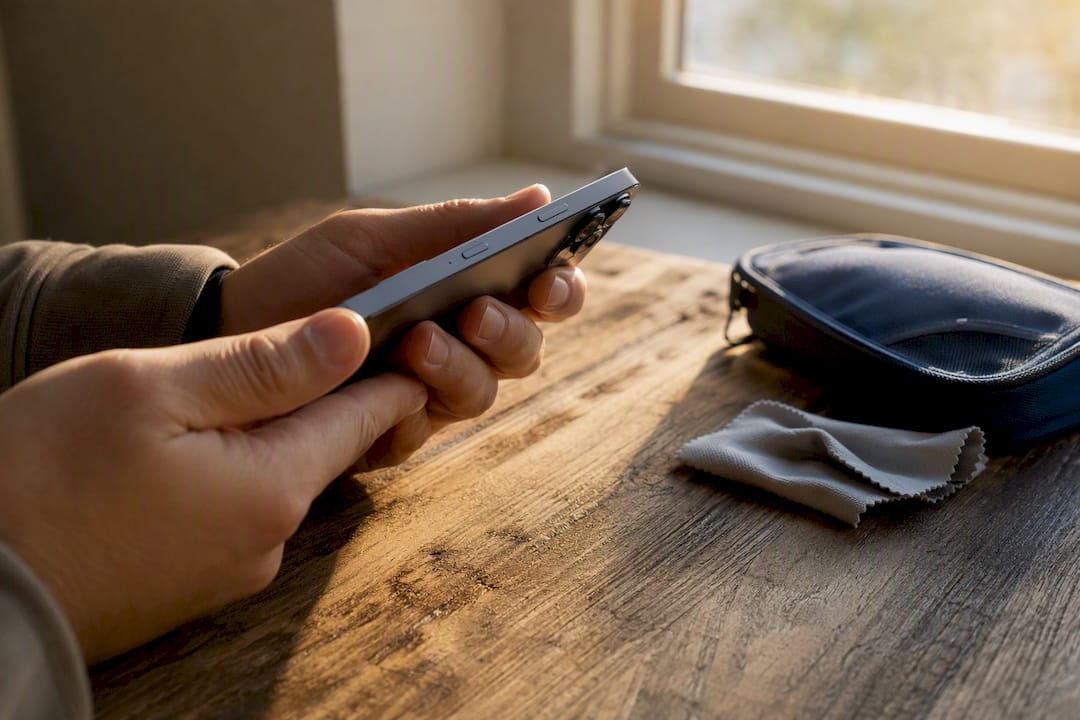
Meet in a public place during daylight, ideally somewhere with foot traffic like a coffee shop parking lot. Bring a friend if it's your first few deals. Cash works, but an instant payment app with a confirmed transfer before the seller walks away protects both sides better than a hopeful handshake.
Where Should You Look for iPhones to Flip?
Facebook Marketplace and Craigslist consistently produce the best local margins, and there's a practical reason why: sellers on these platforms are often motivated by convenience over maximum price. They want cash fast, not a bidding war. One flipper interviewed by Side Hustle Nation built a repeatable business almost entirely off Marketplace sourcing, treating quick inspection and accurate comps as the two pillars that made the math work.
Local buy/sell groups on Facebook, often organized by city or neighborhood, can outperform the general Marketplace feed because listings move fast and get less competition than the main search results. Join three or four groups within a 20 mile radius and you'll start recognizing which sellers post quality inventory versus which ones are just trying to unload broken devices.
Before you commit to a buy price, check what the same phone actually sold for, not what it's listed for. Swappa and eBay both show completed sales, and the gap between "asking price" and "sold price" on a used iPhone can run 15 to 20% depending on the model and season. Swappa tends to skew toward buyers who already trust the condition grading system, while eBay's larger audience means faster turnover but higher fees eating into what you'll net.
A few timing rules make a real difference:
- Check listings within the first hour they post. Underpriced iPhones get snapped up fast once other flippers spot them.
- Set filters for keywords like "cracked screen," "won't charge," or "for parts." These often signal a phone worth buying cheap for repair resale, if you're willing to do light refurbishing.
- Watch for weekend evening posting spikes, when people clean out drawers before a new phone purchase.
- Track sellers who post multiple devices. They're often flipping inventory themselves or clearing out a family's old phones, which usually means more room to negotiate.
Trade-in arbitrage, buying a phone locally at a price below what carrier or retailer trade-in programs offer, makes sense mainly for lower-end models where the margin from careful negotiation covers your time. For flagship models, direct resale on Swappa or eBay after a light cleanup almost always beats a trade-in credit. DealFlipAI's guide to finding undervalued Marketplace listings breaks down specific filter combinations that surface these deals before the crowd does.
How Do You Inspect a Used iPhone Before Buying?
A thorough inspection takes five to ten minutes and it's the single biggest thing standing between you and losing money on a phone you can't resell.
- Check battery health first. On iPhone 15 and later, Apple shows both battery health percentage and cycle count directly in Settings, no extra app needed. Older models may hide cycle count, requiring a quick third-party check. A battery health below roughly 80% signals meaningfully reduced capacity, and resale buyers notice.
- Find the IMEI in Settings > General > About, or dial *#06# on the phone itself.
- Run a blacklist and Activation Lock check using a service like Verimei before you hand over cash. This single step catches stolen or carrier-blocked devices that would otherwise be worthless to you.
- Confirm Activation Lock is off by having the seller sign out of iCloud in front of you, not just tell you it's done.
- Run functional checks: tap every corner of the screen for dead spots, test both cameras, plug in a charger to confirm it charges, check the speaker and microphone with a voice memo, and test the charging port with a wiggle test for looseness.
| Check | What to Look For | Walk-Away Trigger |
|---|---|---|
| Battery health | Percentage and cycle count in Settings | Below 80% with no price discount offered |
| IMEI/blacklist | Clean status, matches phone's actual model | Blacklisted, reported lost, or stolen |
| Activation Lock | Signed out of iCloud in your presence | Seller can't or won't sign out |
| Screen and touch | No dead zones, no delamination | Cracks reaching the edge, unresponsive areas |
| Ports and charging | Charges without wiggling the cable | Port doesn't charge reliably |
Document everything with photos before you pay, timestamped shots of the battery health screen and any cosmetic damage protect you if the seller disputes what condition the phone was in. If a phone fails the IMEI check or Activation Lock isn't off, walk away. No discount is worth the risk of buying a phone you legally can't resell. For phones with fixable issues like a cracked screen, check parts cost and repair difficulty on iFixit before factoring a repair into your offer.
What Should You Pay to Guarantee a Profit?
The math is simple: Target Buy Price = Expected Sold Price minus Fees minus Repair Costs minus Your Minimum Margin.
Start with the sold comp, not the asking price. If clean iPhone 13 128GB units are actually selling for $280 on Swappa, that's your ceiling for expected resale, not the $320 someone's listing shows.
Fee structures change your real margin more than most beginners expect:
- Local pickup sales (Marketplace, Craigslist) cost you 0% in platform fees, which is exactly why local flipping tends to out-earn shipping-based resale for the same phone.
- Swappa charges the buyer a fee added on top of your listed price, so sellers often net close to their asking price.
- eBay takes a percentage cut plus payment processing, which can run notably higher than Swappa on the same sale.
Sold comps on Swappa show similar units at $210. No repairs needed. Selling locally with zero platform fees nets you roughly $60, minus your gas and time. Reasonable for a first deal.
Example 2, a higher-end model: An iPhone 14 Pro 256GB with a cracked screen lists for $380. Battery health is 92%. Sold comps for a working unit run $550. A screen repair costs around $90 in parts per iFixit's guides. Buy price plus repair puts you at $470, leaving roughly $80 if you sell locally, or less if you list on eBay and absorb its fee cut. Industry guides estimate typical per-phone profit landing anywhere from $40 to $150 depending on model and condition, which tracks with both examples above.
Sometimes accepting a slimmer margin makes sense, specifically when it means turning your capital over faster. A $40 profit on a three-day flip beats a $100 profit that takes three weeks to sell, if you're trying to build volume rather than chase the biggest single payday.
How Do You Write a Listing That Actually Sells?
Your listing does the selling before you ever meet a buyer, so treat the photos and title like they're doing half the work.
Photos should include: the front and back of the phone in good lighting, a close-up of any cosmetic wear, and critically, a screenshot of the battery health screen. Buyers who see battery health upfront ask fewer questions and negotiate less.
Your title needs the model, storage, and carrier status in the first few words: "iPhone 13 Pro 256GB Unlocked, 91% Battery Health." Skip vague titles like "iPhone for sale, great condition."
In your description, disclose everything: any scratches, whether it's been in water, exact battery health, and whether it includes original accessories. Buyers who feel surprised after purchase leave disputes; buyers who know exactly what they're getting rarely do.
A few practices that consistently reduce friction:
- Price 5 to 10% above your true minimum so you have room to negotiate without going below margin.
- Respond to messages fast. Local buyers often message multiple sellers and buy from whoever answers first.
- Meet in daylight, in public, and accept an instant digital payment confirmed before the buyer leaves.
- Cross-list on Swappa or eBay if a phone doesn't move locally within a week, accepting the fee trade-off for guaranteed reach.
Pro Tip: Screenshot every buyer conversation before a sale. If a dispute comes up later, having the original description and agreed price in writing settles it fast.
What's the Best Workflow for Repeatable Local Flips?
A repeatable flip starts with discovery speed, and that's exactly where a tool built for Marketplace scanning changes the math. Instead of manually refreshing feeds, DealFlipAI scores incoming listings on profit potential and risk, and its alerts surface underpriced iPhones before other flippers even see them.
Before you meet a seller, run your own verification layer regardless of what the listing claims: an IMEI and Activation Lock check through Verimei, Apple's own battery documentation for context on what a given health percentage actually means for longevity, and a quick sold-comps pull from Swappa to confirm your target price still holds.
DealFlipAI's free tools slot directly into this process. The flip profit calculator runs your fee and repair math in seconds instead of a napkin estimate, the listing analyzer flags whether a specific post is actually underpriced relative to comps, and a scam checker screens for the red flags that catch beginners off guard.
Automating the discovery step, so alerts find deals instead of you hunting for them, is what turns phone flipping from an occasional side project into a repeatable weekly habit. The flippers who scale past their first few sales are the ones who stop wasting time on dead-end listings and start trusting a system to filter for them.
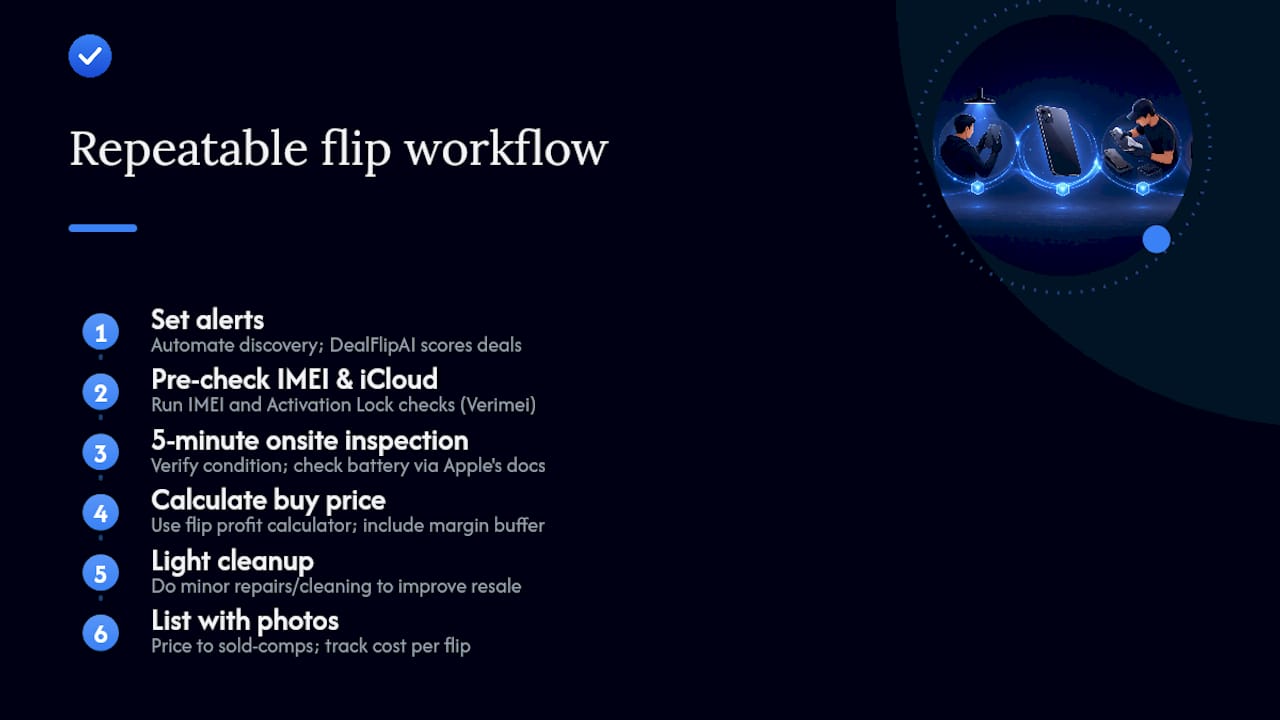
A repeatable six-step loop looks like this: set alerts, pre-check IMEI and iCloud status by text, run a five-minute onsite inspection, calculate your buy price with a margin buffer built in, do light cleanup if needed, then list with clear photos and a sold-comp-based price. Track your cost per flip across a few cycles and the pattern that works for your area becomes obvious fast.
Ready to stop guessing which listings are worth a drive? DealFlipAI's free tools score Marketplace deals on profit potential and risk before you ever leave the house, so your time goes toward phones actually worth buying.
Where to Verify iPhones and Check Prices
Before buying or listing, confirm these three things using dedicated tools rather than trusting a seller's word:
- IMEI and Activation Lock status: run a check through Verimei to rule out blacklisted or locked devices.
- Battery health and cycle count: reference Apple's own battery guidance to interpret what you're seeing onsite.
- Sold comps for pricing: check completed listings on Swappa and eBay to set a buy target grounded in actual sale prices, not hope.
What Actually Matters When You Flip iPhones Locally
The conventional advice on phone flipping tends to overweight negotiation tactics and underweight verification. Plenty of guides walk beginners through haggling scripts while spending a single sentence on Activation Lock checks, which is backwards. A skilled negotiator who skips the IMEI check can still lose their entire buy price on one blacklisted phone.
What the evidence actually supports is a boring, checklist-first approach: verify status, check battery health, confirm the sold comp, then negotiate. Negotiation only matters after the phone has cleared the risk gate. Beginners who obsess over shaving $10 off a purchase price while skipping a blacklist check have their priorities inverted.
The other overlooked piece is speed of discovery. Margin math and inspection routines are teachable in an afternoon. What separates people who flip one phone from people who flip one a week is whether they're seeing listings first. That's a discovery problem, not a skills problem, and it's worth solving with a tool before you spend another weekend manually refreshing Marketplace.
Sources
- $1K/Week Flipping Phones: How to Flip Phones for Profit — Side Hustle Nation
- Free iCloud Status Check — Verimei
- How to check your iPhone's battery health and cycle count — Engadget
- Statista — worldwide market revenue used smartphone