

The fastest way to set up real-time deal alerts on Facebook Marketplace is to combine live scanning with buy-price thresholds and AI deal scoring, then route high-priority hits to push or SMS while lower-priority ones go to a daily digest. That three-part system — source monitoring, threshold rules, and smart routing — is what separates flippers who catch deals first from those who arrive too late.
Here's what you need to configure before your first alert fires:
- Sources to monitor: Facebook Marketplace saved searches, seller feeds via RSS, and AI-powered scans through Dealflip AI
- Minimum thresholds: a target buy price per item and a deal-score floor (e.g., score ≥ 75) so only genuinely profitable listings trigger alerts
- Routing choices: push/SMS for high-urgency finds, filtered email or digest for lower-priority categories
- First test: run a 48–72 hour live window, log every alert, and count false positives before scaling up
Table of Contents
- How to set up real-time deal alerts in 6 steps
- How do you design thresholds that actually cut the noise?
- How should you route alerts by priority and channel?
- What scam signals should you filter before an alert fires?
- How do you measure and improve alert performance over time?
- How does Dealflip AI handle real-time alerts and deal scoring?
- What are Facebook Marketplace's rules for monitoring listings?
- How do you connect deal alerts to your CRM and sales workflow?
- What privacy and data security risks come with third-party alert tools?
- What does a real-time deal alert tool actually cost?
- Key Takeaways
- How experienced flippers actually organize their alert stacks
- Dealflip AI puts real-time, AI-scored alerts to work for you
- Further reading and useful sources for resellers
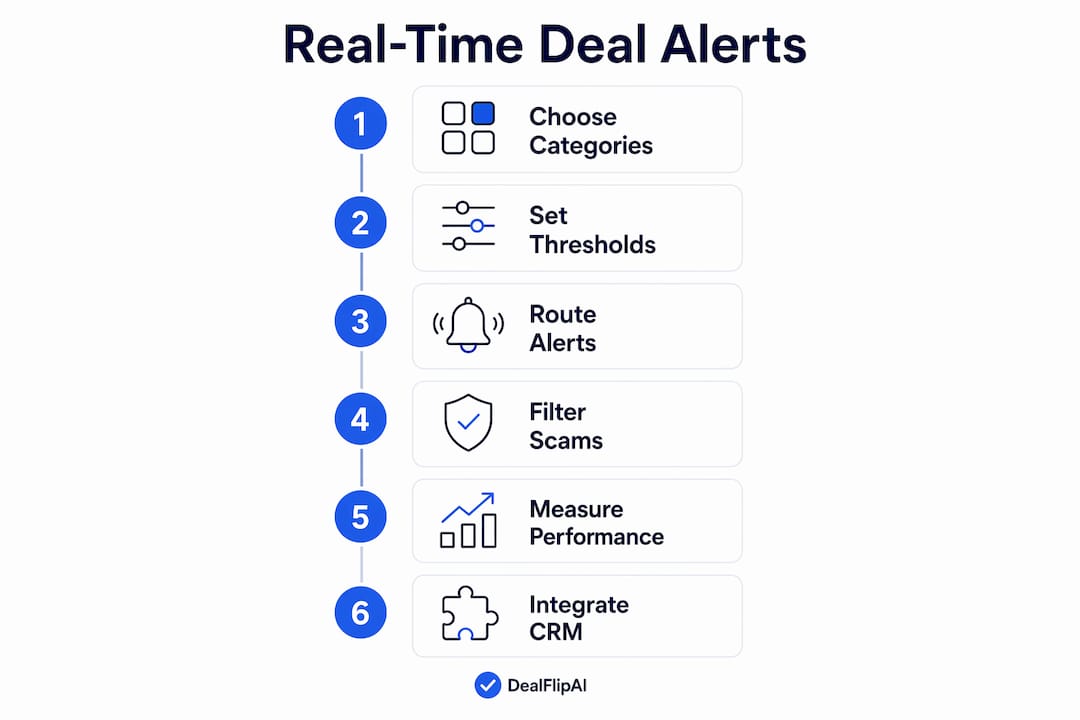
How to set up real-time deal alerts in 6 steps
Getting from zero to live alerts takes less than an hour when you follow a clear sequence. Effective alert systems track 3–5 categories and use a dedicated inbox to avoid fatigue.
- Pick your monitoring sources. Start with Facebook Marketplace saved searches for your top categories, add RSS feeds for seller pages you trust, and connect Dealflip AI scans for AI-scored results.
- Define products and categories. Use exact-match keywords for high-ticket items (e.g., "iPhone 15 Pro 256GB") and broader terms for replenishable categories like tools or furniture.
- Set a buy price and alert floor. For each target item, record its normal resale price, your target buy price, and the minimum discount percentage that makes the flip worthwhile.
- Choose notification channels. Push or SMS for urgent, high-margin finds; email digest for lower-priority categories you can review once a day.
- Configure deal-score thresholds. Set a minimum score or price rule so only actionable listings trigger an alert. Combining both cuts false positives sharply.
- Run a 48–72 hour live test. Log every alert, note which ones were actionable, and calculate your early false-positive rate before expanding your setup.
Pro Tip: Start with three categories maximum. A narrow setup gives you clean data for tuning; you can always broaden after your first test cycle.
How do you design thresholds that actually cut the noise?
The math behind a good alert rule is straightforward. Start with five data points per tracked item: product name, normal resale price, target buy price, preferred category, and how time-sensitive the item is. From there, you can build rules that only fire when a listing is genuinely worth your attention.
Buy-price formula (simplified):
Target buy price = Resale comp × (1 − desired margin) − platform fees − estimated repair cost Example: A laptop with a $400 resale comp, 30% margin target, and $20 in fees gives a target buy price of $260.
Combine that price rule with a deal-score condition and you get a two-gate filter. A rule like deal_score >= 75 AND price <= your target buy price means a listing has to pass both tests before it interrupts you. Either gate alone lets too much noise through.
Category presets to start with:
- Electronics (tight thresholds): deal score ≥ 80, buy price ≤ 60% of resale comp, seller with at least 3 months of activity
- Furniture (broader thresholds): deal score ≥ 65, buy price ≤ 50% of resale comp, within 20 miles
- Tools (mid-range): deal score ≥ 70, buy price ≤ 55% of resale comp, photo count ≥ 3
Keep three named rule tiers: High (top scores, push immediately), Medium (mid scores, webhook to CRM), and Low (lower scores, daily digest). Document the exact trigger for each so you can adjust one tier without breaking the others.
Pro Tip: Document your baseline pricing for each item before you set thresholds. Reacting to an outlier listing without a baseline is how flippers overpay.

How should you route alerts by priority and channel?
Notification channel choice should match how fast you can act. Push and SMS interrupt you immediately, which is exactly what a rare, high-margin electronics find deserves. A daily digest is fine for furniture or tools where a few hours rarely costs you the deal.
Three practical routing templates:
- High-urgency (electronics, top scores): push notification + SMS simultaneously; aim for rapid response
- Medium-priority (furniture, tools, mid scores): webhook to your CRM or a dedicated Slack channel for auto-valuation and follow-up scheduling
- Low-priority (broad categories, lower scores): daily email digest reviewed once in the morning
Use a dedicated "deal-only" email address or a separate Slack channel for all Marketplace alerts. Mixing deal alerts with personal messages is the fastest way to miss a time-sensitive find. Tagging each alert with category, projected profit, and confidence score speeds up triage so you can decide in seconds whether to act.
Pro Tip: Tag every incoming alert with at least three fields: category, estimated profit, and confidence level. A quick scan of those tags tells you whether to drop everything or wait.
What scam signals should you filter before an alert fires?
Filtering scams at the rule level means bad listings never reach your urgent channel. Confirm seller history and listing authenticity before acting on any Marketplace find.
Red flags to build into your filter rules:
- Missing or stock photos (require a minimum of 3 original photos)
- Seller account created within the last 30 days with multiple similar listings
- Price significantly below local median for that item and condition
- No verifiable pickup address or only vague location listed
- Inconsistent pricing across the same seller's listings
Quick verification checklist: Ask for a timestamped photo with a handwritten note, propose a public meetup location (police station parking lots are ideal), and cross-check the seller's profile activity before sending any offer.
When a listing trips one or more red flags, route it to a "flagged" folder rather than deleting it outright. Some flagged listings are legitimate but poorly presented. Review them in your daily digest rather than acting on them immediately. You can also use Dealflip AI's scam detection tools to automate this check before a listing ever reaches your alert queue.
How do you measure and improve alert performance over time?
Tracking a few core metrics weekly tells you whether your rules are working or just generating noise.
| Metric | Target direction | Notes |
|---|---|---|
| Hit rate (alerts → qualified leads) | Increase | Aim for > 30% of alerts being actionable |
| Conversion rate (leads → buys) | Increase | Tracks how often you close on a qualified lead |
| Average profit per successful alert | Increase | Validates your buy-price assumptions |
| False-positive rate | Decrease | Alerts that triggered but were not worth pursuing |
| Notification-to-action time | Decrease | How fast you respond to a high-priority alert |
Simple A/B tests to run during your first 30–90 day tuning cycle:
- Raise your deal-score threshold by 5 points for one category and compare hit rate vs. false-positive rate after two weeks
- Switch a medium-priority category from email digest to webhook and measure response time
- Adjust your buy-price assumption by ±10% and track how it changes the number of qualifying alerts
When a change worsens two or more metrics, roll it back within the same cycle. The goal is a steady improvement in hit rate and profit per alert, not a perfect setup on day one.
How does Dealflip AI handle real-time alerts and deal scoring?
Dealflip AI maps directly to the best practices above. It scans Facebook Marketplace in real time, scores each listing on profit potential, price vs. resale value, and risk factors, then routes alerts through push, SMS, webhook, or email based on your settings.
Setup inside Dealflip AI (high-level):
- Create location presets for your target pickup radius
- Set category and model filters (e.g., "MacBook Pro," "Milwaukee tools")
- Define your buy-price ceiling and minimum deal score per category
- Choose notification channels per priority tier
- Run your first scan and review the initial results against your baseline pricing
The platform's deal-scoring methodology factors in comparable sales, seller signals, and listing quality to produce a confidence-weighted score. Suggested first offers are fee-aware, meaning the platform accounts for platform fees and estimated margins before recommending a number. That transparency is what makes the score useful rather than just decorative.
What resellers say: Users report catching underpriced listings within minutes of posting and using the suggested first-offer calculations to open negotiations with confidence rather than guesswork.
For listings that pass your score threshold, Dealflip AI's listing analyzer gives you a full deal breakdown and a suggested opening offer before you message the seller. Pair that with the flip profit calculator to confirm your margin in under a minute.
What are Facebook Marketplace's rules for monitoring listings?
Follow Facebook's Terms of Service. Automated scraping that violates platform rules can result in account suspension. Use platform-provided alert features, API-approved monitoring paths, or tools like Dealflip AI that operate within compliant boundaries.
Practical dos and don'ts for U.S. resellers:
- Do use saved searches and notification features built into the Marketplace app
- Do keep logs of your interactions and offers for dispute resolution
- Do use third-party tools that access listings through approved methods
- Don't send automated mass messages to sellers
- Don't scrape listing data in ways that violate Facebook's platform policies
- Don't share or store other users' personal information outside the platform
Rate-limit your monitoring activity and prefer API-first or platform-native alert features when available. When in doubt, review Facebook's Commerce Policies directly.
How do you connect deal alerts to your CRM and sales workflow?
A deal alert that fires but never gets followed up is a missed opportunity. Connecting your alert stack to a CRM or simple tracking sheet closes that gap.
The most practical integration for most resellers is a webhook that fires when a high-priority alert triggers, creates a new lead record in your CRM (Notion, Airtable, or HubSpot all support this), and assigns a follow-up task automatically. For lower-priority alerts, a daily digest that feeds into a shared spreadsheet is enough. The key is that every alert lands somewhere with a clear next action attached, not just in an inbox you check when you remember.
Tag each CRM record with category, deal score, buy price, and alert date. That data becomes your tuning source at the end of each 30-day cycle. Understanding how automated deal filtering works helps you design webhook payloads that carry the right fields from the start.
What privacy and data security risks come with third-party alert tools?
Any tool that monitors Marketplace listings on your behalf handles data about sellers, listings, and potentially your own account credentials. Before connecting a third-party tool, check three things: what data it collects, how long it retains it, and whether it shares it with third parties.
Prefer tools that use OAuth or token-based authentication rather than storing your Facebook password directly. Review the tool's privacy policy for data retention periods and opt-out options. For tools that send alerts via webhook, make sure the endpoint is secured with HTTPS and an authentication token. Dealflip AI operates within compliant data practices, but the same scrutiny applies to any tool you add to your stack.
What does a real-time deal alert tool actually cost?
Alert tool costs vary widely depending on scan volume, category depth, and routing options.
| Tool type | Typical cost | Best for |
|---|---|---|
| Native Marketplace saved searches | Free | Casual monitoring, no scoring |
| General price-tracking tools | Free to ~$10/month | Single-item price drops, retail sites |
| Deal aggregator platforms | Free to ~$20/month | Broad deal discovery, high noise |
| Dealflip AI (tiered plans) | Free plan + paid tiers | AI-scored Marketplace alerts, resellers |
Dealflip AI offers a free plan with limited scans so you can test the alert quality before committing to a paid tier. Paid plans scale with monthly scan volume, category presets, and AI analysis depth. For active resellers running multiple categories, the time saved on manual searching typically justifies the subscription cost within the first few flips.
Key Takeaways
The most effective real-time deal alert setup combines AI deal scoring, buy-price thresholds, and channel routing so only profitable, verified listings interrupt your day.
| Point | Details |
|---|---|
| Start narrow | Track 3–5 categories with exact-match keywords before expanding your alert scope. |
| Set buy-price rules | Calculate your target buy price from resale comps, fees, and margin before configuring any alert. |
| Route by urgency | Push or SMS for high-score alerts; daily digest for lower-priority categories to avoid fatigue. |
| Filter scams early | Require minimum photo count, seller history, and location verification before an alert fires. |
| Try Dealflip AI free | Dealflip AI's free plan lets you test AI-scored Marketplace alerts and suggested first offers before upgrading. |
How experienced flippers actually organize their alert stacks
The biggest mistake I see resellers make is treating alerts like a feed rather than a filter. The moment you subscribe to too many categories without thresholds, you stop reading alerts entirely. The fix is simple: organize by urgency first, category second.
My own stack has three layers. Push notifications go only to electronics and high-ticket tools with a deal score above 80. Everything else routes to a dedicated deal-only email address I check twice a day. That separation means I never miss a time-sensitive find, and I never feel buried.
One thing most guides skip: adjust your thresholds by season. Electronics thresholds can loosen slightly in January and July when post-holiday and mid-year inventory floods the market. Furniture thresholds tighten in spring when demand spikes. Treating your alert rules as static is leaving money on the table.
Dealflip AI puts real-time, AI-scored alerts to work for you
Catching an underpriced listing before anyone else does is the whole game in reselling, and Dealflip AI is built specifically for that moment. Every scan delivers AI-scored results with transparent deal breakdowns, scam checks, and a suggested first offer calculated from real market data — so when an alert fires, you already know what to offer and why.
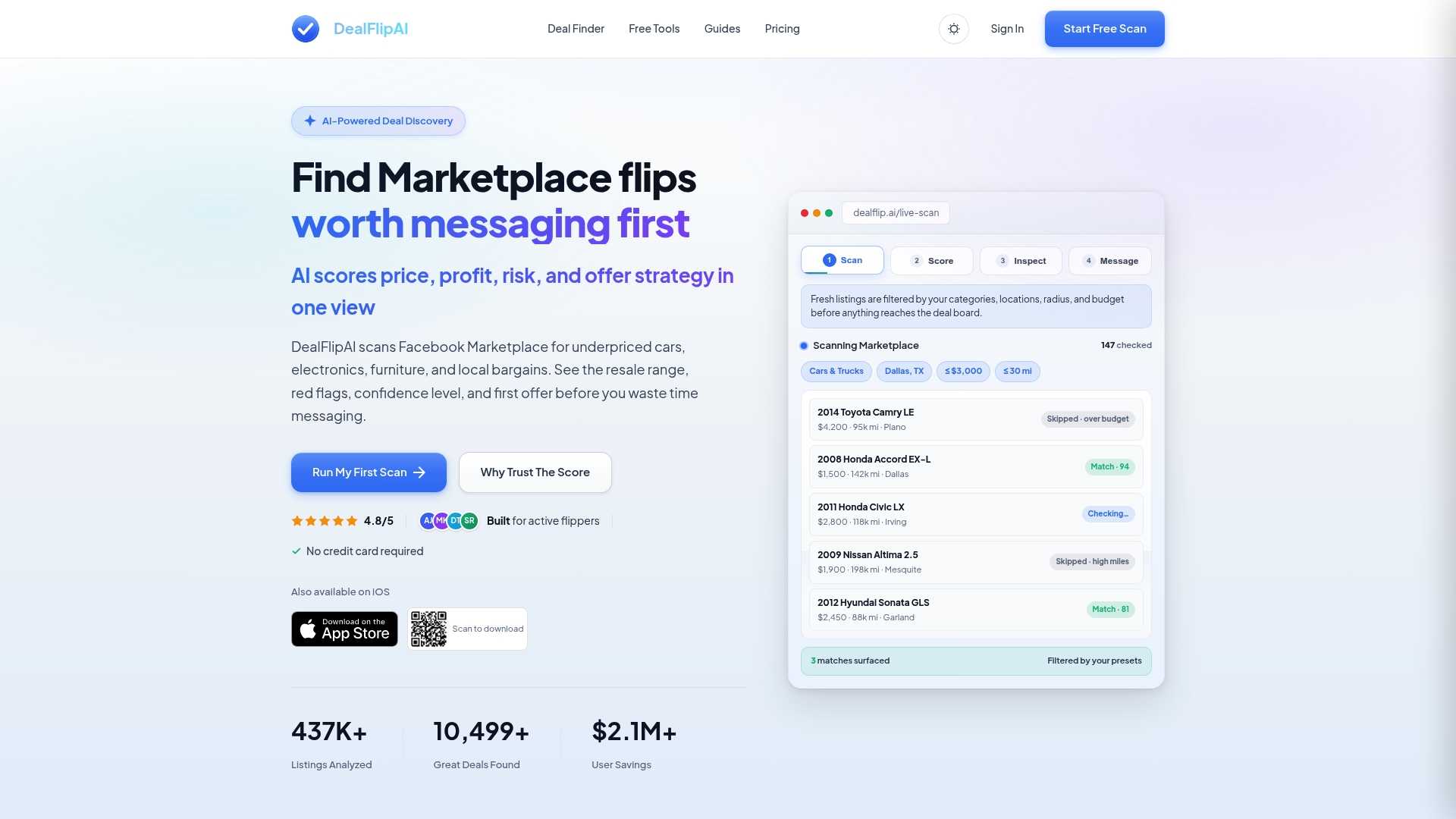
The free plan gets you live Marketplace scans and deal scores with no commitment. When you're ready to scale, paid tiers add deeper category presets, higher scan volume, and full routing options. Start with the Facebook Marketplace deal finder to configure your first alert, or run a quick check on any listing with the free listing analyzer to see the deal score and suggested offer in seconds.
Further reading and useful sources for resellers
- Dealflip AI Deal Alerts — Configure your Marketplace alert presets, categories, and routing options directly inside Dealflip AI.
- Dealflip AI Listing Analyzer — Analyze any listing for deal score, fair value, and a suggested first offer before you message the seller.
- Dealflip AI Scam Checker — Run a quick scam check on any listing before acting on an alert.
- Flip Profit Calculator — Validate your margin on any alert in under a minute.
- How Deal Alerts Reduce Manual Searching — Overview of time savings and workflow benefits from automating your alert stack.
- Deal Alert Setup Guide Without the Spam — Practical guide to threshold-based alert design and avoiding notification fatigue.
- Create a Personal Deal Alert System — Covers RSS, newsletters, and social lists as layered monitoring sources.
- Real-Time Signal Design for Active Traders — Signal routing and triage concepts that translate directly to deal-alert workflows.
- Facebook Commerce Policies — Official policy page for U.S. Marketplace sellers and monitoring compliance.
- Slickdeals Deal Alerts — Reference for how mainstream deal alert platforms handle keyword, category, and channel configuration.